
Published May 27, 2026 · 13 min read
Podcast Video Editing Best Practices: Boost Your Reach
In today’s competitive digital landscape, simply recording audio for your podcast isn’t enough to stand out. Implementing robust podcast video editing best practices is now essential for growth, allowing you to transform your auditory content into captivating visual experiences. This strategic shift not only broadens your audience reach but also deepens engagement with your existing listeners, providing a dynamic way to connect. Our team at Motion Edges understands the nuances of visual storytelling and is here to guide you through the process, ensuring your video podcast resonates with viewers.
💡 Video podcasts are experiencing a surge in popularity, with platforms like YouTube becoming primary consumption hubs. Neglecting the visual aspect means missing out on a massive segment of potential audience and vital discoverability.
Why Is Video Essential for Modern Podcasts?
Video is essential for modern podcasts because it significantly enhances audience engagement, expands discoverability on visual platforms, and provides versatile content for repurposing across social media. By adding a visual layer, podcasts can appeal to a broader demographic, including those who prefer watching over listening, and capitalize on the immense popularity of video content online.
The transition from audio-only to video podcasts isn’t just a trend; it’s a strategic imperative for content creators aiming for maximum impact. As video consumption continues to dominate online activity, integrating visual elements into your podcast strategy provides a competitive edge.
Expanding Your Audience Reach
Platforms like YouTube and TikTok aren’t just for traditional video creators; they’ve become major hubs for podcast discovery. By producing video versions of your episodes, you open up new avenues for listeners to find you. Viewers often stumble upon podcasts through visually engaging clips or full episodes on these platforms, turning casual browsers into loyal subscribers. This expansion is crucial for capturing new demographics who might not actively seek out audio-only content.
Boosting Listener Engagement
Visual cues add another dimension to storytelling. Seeing your expressions, guest reactions, and even the studio environment can make your content more relatable and engaging. According to a study by Statista, online video consumption continues to rise, indicating a strong preference for visual content. This visual connection fosters a stronger bond with your audience, making them more likely to stick around for longer, share your content, and become active community members. Implementing effective podcast video editing best practices directly contributes to this enhanced engagement.
Repurposing Content for Maximum Impact
One of the most significant benefits of video podcasts is the ease with which you can repurpose content. A single video episode can be sliced into numerous short, engaging clips for Instagram Reels, TikTok, YouTube Shorts, or even LinkedIn. These micro-content pieces serve as powerful marketing tools, driving traffic back to your full episodes. This multi-platform presence ensures your message reaches a wider audience across diverse channels without creating entirely new content from scratch. Our our professional editing services can help you repurpose your content efficiently.
What Are the Core Technical Considerations for Podcast Video Editing?
The core technical considerations for podcast video editing involve achieving flawless audio-visual synchronization, strategically managing multi-camera setups, and optimizing visual quality through proper lighting and camera settings. These elements are foundational to producing a professional and engaging video podcast that holds viewer attention and conveys your message effectively.
Before diving into creative edits, a solid technical foundation is paramount. Without precise synchronization, clear visuals, and well-managed camera angles, even the most compelling content can fall flat. These technical aspects are part of the essential podcast video editing best practices.
Flawless Audio-Visual Synchronization
Nothing is more distracting than seeing someone speak out of sync with their audio. This fundamental error can instantly undermine your podcast’s professionalism. Always record audio separately and at a higher quality than your video, then sync them perfectly in post-production. Using clapper boards or a simple hand clap at the start of each take provides a clear visual and audio cue for easy synchronization. Professional audio editing is just as crucial as video editing for podcasts.
Strategic Multi-Camera Management
If you’re interviewing guests or have multiple hosts, a multi-camera setup is ideal. This allows for dynamic cuts between speakers, reaction shots, and wide shots, keeping the viewer engaged. Plan your camera angles in advance: a wide shot, individual close-ups, and perhaps an overhead shot for visual interest. During editing, strategically switch between these angles to maintain visual flow and emphasize who is speaking or reacting. This is a key component of effective video podcast production.
Optimizing Visual Quality and Lighting
Good lighting can transform a mediocre video into a professional one. Aim for soft, even lighting that illuminates your subjects without harsh shadows. Three-point lighting (key, fill, and back light) is the gold standard. Ensure your camera settings, such as white balance, ISO, and aperture, are correctly adjusted to avoid grainy footage or inaccurate colors. High-definition video with crisp visuals is crucial for viewer retention. Our see our portfolio to understand the impact of high-quality visuals.
✅ Always record test footage before a full recording session. Check audio levels, lighting, and camera focus to catch any technical issues early and avoid costly re-shoots in your podcast video editing workflow.
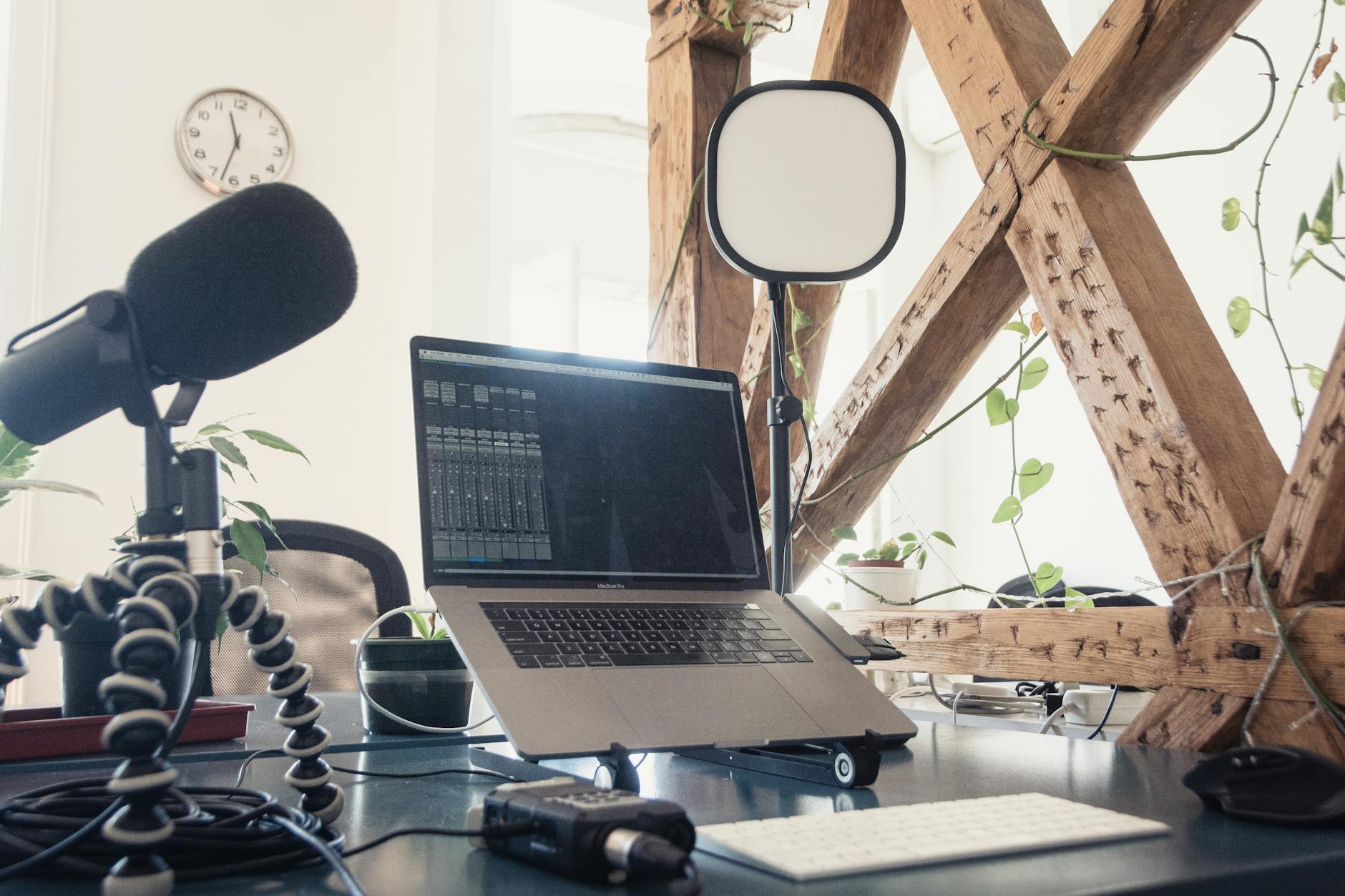
Proper lighting and camera setup are foundational for professional podcast video production.
How Can You Enhance Visual Storytelling in Podcast Videos?
You can enhance visual storytelling in podcast videos by incorporating engaging motion graphics, lower thirds, and overlays, utilizing relevant B-roll and cutaways to illustrate points, and crafting dynamic transitions and effects that maintain viewer interest. These visual elements add depth, context, and a professional polish that elevates the viewing experience beyond simple talking heads.
Once the technical foundation is laid, the art of visual storytelling comes into play. This is where you transform raw footage into a compelling narrative, making your podcast not just heard, but truly seen. Applying these podcast video editing best practices makes a significant difference.
Incorporating Engaging Motion Graphics and Overlays
Motion graphics, such as animated intros/outros, lower thirds for names and titles, and on-screen text for key statistics or quotes, can significantly boost engagement. They add a professional polish and make information easier to digest. Consistent branding through custom graphics reinforces your podcast’s identity and makes your content more memorable. Simple animations can also highlight important points, drawing the viewer’s eye to crucial information.
Utilizing B-Roll and Cutaways Effectively
B-roll footage (supplementary clips) and cutaways (shots that cut away from the main subject) are powerful tools for breaking up talking-head segments and illustrating what’s being discussed. If you’re talking about a specific product, show it. If you’re discussing a news event, show relevant clips or images. This adds context, keeps the video dynamic, and prevents viewer fatigue. Thoughtful use of B-roll elevates your visual storytelling.
Crafting Dynamic Transitions and Effects
While subtle transitions are often best, judicious use of dynamic effects can add flair without being distracting. Avoid overly flashy or generic transitions. Instead, opt for smooth cuts, dissolves, or custom-designed wipes that align with your brand. Color grading can also profoundly impact the mood and aesthetic of your video, giving it a consistent and professional look. Experiment with subtle effects to enhance, not overshadow, your content.
⚠️ Avoid over-editing and excessive use of distracting effects. The goal is to enhance the content, not to overwhelm the viewer with unnecessary visual clutter. Keep the focus on your message.
| Editing Element | Purpose | Impact on Viewer |
|---|---|---|
| Multi-Camera Cuts | Dynamic perspective shifts | Keeps viewer engaged, highlights speakers |
| Motion Graphics | Brand identity, information display | Professional look, easier information absorption |
| B-Roll/Cutaways | Contextual illustration, visual variety | Breaks monotony, enhances understanding |
| Color Grading | Mood setting, visual consistency | Professional polish, brand recognition |
| Sound Design | Emotional depth, audio clarity | Immersive experience, clear message delivery |
What Are the Best Practices for Post-Production Workflow?
The best practices for post-production workflow involve establishing a seamless editing process that includes clear project organization, incorporating structured feedback and revision rounds, and meticulously setting export parameters for various platforms. A well-defined workflow ensures efficiency, consistency, and a high-quality final product, making the entire podcast video editing process more manageable.
An organized workflow is the backbone of efficient video production. From initial setup to final export, having a clear process saves time, reduces errors, and ensures a polished final product. These steps are integral to maintaining high standards in your podcast video editing best practices.
Establishing a Seamless Editing Process
Start by organizing your footage, audio, and graphics into a logical folder structure. Create a consistent project template in your editing software. Begin with syncing audio and video, then move to a rough cut, followed by fine-tuning edits, adding graphics, and finally, color correction and audio mastering. A systematic approach prevents missed steps and ensures consistency across episodes.
Incorporating Feedback and Revisions
Collaboration is key, especially if you have a team or clients. Establish a clear feedback loop. Use collaborative review platforms where stakeholders can leave time-coded comments directly on the video. Set clear deadlines for feedback and define the number of revision rounds included in your process. This prevents endless back-and-forth and keeps the project moving forward efficiently. Our transparent pricing includes structured revision rounds.
Export Settings for Various Platforms
Different platforms have different optimal export settings. YouTube prefers high-bitrate H.264 files, while social media clips might require specific aspect ratios (e.g., 9:16 for vertical video) and smaller file sizes. Always export at the highest quality possible for YouTube and then create optimized, platform-specific versions for other channels. Pay attention to frame rates, resolutions, and audio codecs to ensure your video looks and sounds its best everywhere.
- Organize Project Files. Create a consistent folder structure for all raw footage, audio, graphics, and project files.
- Synchronize Audio & Video. Align all camera angles and external audio sources precisely.
- Assemble Rough Cut. Arrange the main narrative flow, removing unnecessary pauses and mistakes.
- Refine Edits & Add B-Roll. Tighten pacing, incorporate cutaways, and fine-tune transitions.
- Design & Integrate Graphics. Add intros, lower thirds, on-screen text, and other motion graphics.
- Color Grade & Correct. Ensure visual consistency, correct exposure, and enhance the overall look.
- Mix & Master Audio. Balance dialogue, music, sound effects, and ensure professional audio quality.
- Review & Incorporate Feedback. Share with stakeholders, gather comments, and make necessary revisions.
- Export Optimized Versions. Render final videos according to platform-specific requirements (YouTube, social media, etc.).
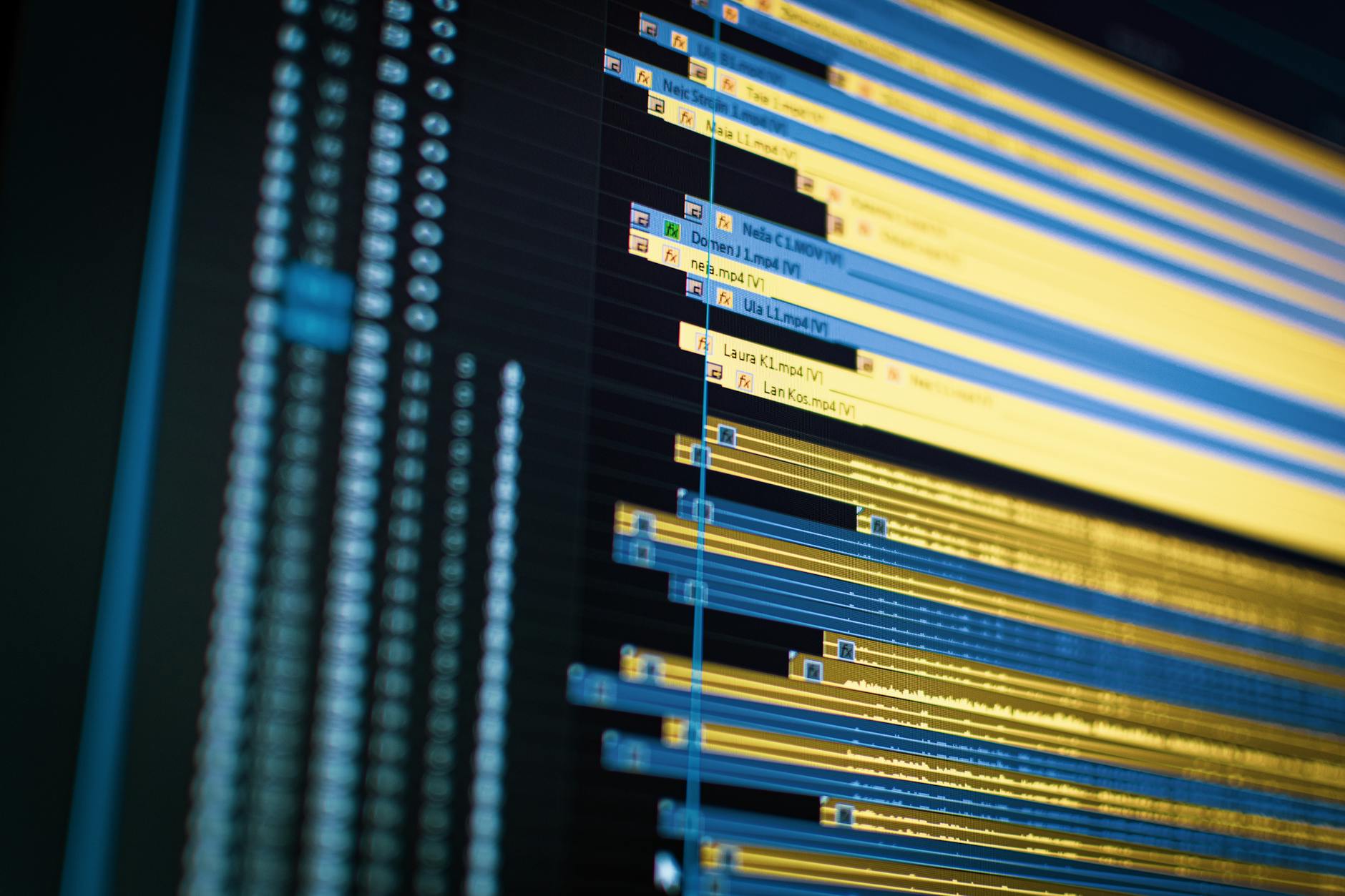
A structured post-production workflow ensures consistency and high quality for every episode.
How Do You Optimize Podcast Videos for Different Platforms?
You optimize podcast videos for different platforms by tailoring content and format to each platform’s unique audience and technical requirements. This includes using long-form, keyword-optimized content for YouTube, creating short, engaging vertical clips for social media, and understanding the specific aspect ratios and engagement patterns for each channel.
Publishing your video podcast requires more than just uploading the same file everywhere. Each platform has its own ecosystem, audience expectations, and technical specifications. Understanding these nuances is crucial for maximizing your reach and engagement. This platform-specific approach is one of the most critical podcast video editing best practices.
YouTube Optimization Strategies
YouTube is often the primary destination for full-length video podcasts. Optimize your videos for search by using relevant keywords in your title, description, and tags. Create compelling thumbnails that encourage clicks. Add chapters to your videos to improve navigation and viewer retention. Encourage comments, likes, and subscriptions, and respond to your audience to build a community. Consider adding end screens and cards to promote other episodes or your website.
Crafting Engaging Social Media Clips
For platforms like Instagram, TikTok, Facebook, and X (formerly Twitter), focus on creating short, punchy clips (15-90 seconds) that highlight the most compelling moments from your full episode. Use captivating hooks, add captions for accessibility (as many watch without sound), and optimize for vertical viewing where appropriate. These clips should serve as teasers, enticing viewers to watch the full episode on YouTube or listen on their preferred podcast app.
Adapting for Vertical Video Formats
With the rise of TikTok and Instagram Reels, vertical video (9:16 aspect ratio) has become non-negotiable for social media marketing. When editing, consider if your footage can be reframed for vertical formats without losing essential visual information. Sometimes, a dedicated vertical shoot might be necessary for certain segments. Alternatively, creative framing or adding branded elements in the blank spaces of a horizontal video can make it suitable for vertical platforms.
💡 Don’t underestimate the power of captions. Most social media videos are watched on mute initially. Adding accurate, engaging captions ensures your message gets across, even without sound, dramatically increasing accessibility and reach.
Frequently Asked Questions About Podcast Video Editing
What’s the ideal length for a podcast video?
The ideal length for a full podcast video typically mirrors your audio podcast’s duration, often ranging from 30 minutes to an hour. For social media, clips should be much shorter, ideally 15-90 seconds, designed to capture attention quickly and drive traffic to the full episode.
Do I need expensive equipment for video podcasting?
Not necessarily. While professional equipment helps, you can start with a good quality smartphone camera, decent external microphone, and basic lighting. The key is consistent quality and applying podcast video editing best practices. You can always upgrade as your podcast grows.
How important is sound quality in a video podcast?
Sound quality is paramount, even in a video podcast. Poor audio can be more off-putting than mediocre video. Invest in good microphones and ensure clean audio recording and mixing. Viewers will tolerate less-than-perfect visuals if the audio is clear and engaging.
Should I add music to my podcast videos?
Yes, adding royalty-free intro/outro music and subtle background music can enhance the professional feel and set the mood for your podcast video. Ensure the music doesn’t overshadow the dialogue and is used sparingly to avoid distraction. Always check licensing to avoid copyright issues.
Can I outsource my podcast video editing?
Absolutely. Outsourcing to professional video editing agencies like Motion Edges is a highly effective way to ensure high-quality, consistent output without dedicating your own time and resources. It allows you to focus on content creation while our team handles the technical and creative aspects of implementing podcast video editing best practices. Get in touch with our team to discuss your project.
Mastering podcast video editing best practices is no longer optional; it’s a critical component of a successful content strategy. By focusing on technical excellence, compelling visual storytelling, and platform-specific optimization, you can transform your podcast into a powerful visual medium that captivates and grows your audience. At Motion Edges, our team is dedicated to helping creators like you navigate these complexities, delivering polished, engaging video content that stands out. Let us help you elevate your podcast and make a lasting impression.
Ready to Elevate Your Video Content?
Motion Edges delivers professional video editing that drives engagement and growth. Our dedicated editors learn your style and deliver consistently polished content.
Related Services from Motion Edges
- Talking Head Video Editing in Miami — clean cuts, captions, and b-roll for YouTube creators
- Talking Head Video Editing in Houston — 48-hour delivery, professional results
- View All Video Editing Services