
Published May 26, 2026 · 12 min read
In today’s fast-paced digital landscape, mastering short form video editing tips for TikTok is no longer just an option, it’s a necessity for brands and creators alike. With billions of users scrolling through feeds daily, standing out requires more than just good ideas; it demands expert execution. At Motion Edges, we understand the nuances of creating content that not only grabs attention but holds it, turning fleeting views into lasting engagement. Whether you’re a seasoned marketer or a budding influencer, our insights will help you transform your raw footage into captivating TikTok gold.
TikTok’s algorithm favors engaging, high-quality content, and the competition is fierce. Learning effective short form video editing tips for TikTok can significantly impact your reach and influence. Our team specializes in crafting dynamic, visually stunning videos that resonate with target audiences, ensuring your message cuts through the noise. Let’s dive into the strategies that will elevate your short-form video game.
💡 TikTok’s algorithm rewards high engagement. Videos that quickly hook viewers and maintain their attention are more likely to be pushed to a wider audience, making the first few seconds of your edit absolutely critical for success.
Why Is Short-Form Video So Important for Brands?
Short-form video is crucial for brands because it leverages declining attention spans and offers unparalleled reach and engagement on platforms like TikTok. It allows for quick, digestible content consumption, fostering strong connections with audiences through authentic and highly shareable narratives. This format is ideal for driving brand awareness and direct conversions in a competitive digital space.
The sheer volume of content available online means that users are constantly bombarded with information. Short-form video cuts through this clutter by delivering impactful messages in a concise package. According to a Statista report, TikTok users spend an average of 95 minutes per day on the app, demonstrating the immense potential for brands to capture audience attention. This makes mastering short form video editing tips for TikTok incredibly valuable.
Capturing Fleeting Attention Spans
In a world where attention is a scarce commodity, short-form video excels at delivering immediate value. The first few seconds are paramount. Your video needs to hook the viewer instantly, making them pause their scroll. This requires clever editing, dynamic visuals, and compelling sound design right from the start. We often see clients underestimate the power of a strong opening, but it’s where the battle for attention is won or lost.
Driving Unprecedented Engagement and Reach
Platforms like TikTok are built on virality. A well-edited, engaging short-form video has the potential to reach millions of users organically, far surpassing the reach of traditional marketing channels. When viewers interact with your content, liking, commenting, and sharing, the algorithm takes notice, pushing your video to even wider audiences. This organic amplification is a goldmine for brands looking to expand their footprint.
Building Brand Authenticity and Connection
Short-form video, particularly on TikTok, thrives on authenticity. Brands that share genuine, relatable content, often behind-the-scenes glimpses or personality-driven narratives, tend to build stronger connections with their audience. It’s an opportunity to showcase your brand’s human side, fostering trust and loyalty. Our team at Motion Edges can help you craft narratives that feel authentic and resonate deeply with your target demographic, enhancing your overall content strategy. To explore how our expertise can transform your brand’s presence, check out our professional editing services.
What Are the Essential Elements of a Viral TikTok Video?
A viral TikTok video typically combines a strong hook, a fast-paced and dynamic edit, trending audio, clear on-screen text, and a compelling call to action. These elements work together to grab immediate attention, sustain viewer interest through rapid transitions, and encourage interaction, making the content highly shareable and algorithm-friendly.
Creating content that stands out on TikTok requires a blend of creativity and strategic editing. It’s not just about what you show, but how you show it. These fundamental short form video editing tips for TikTok will set your content apart and increase its viral potential.
The Irresistible Hook: First 3 Seconds
You have a fraction of a second to make an impression. Your hook needs to be visually striking, intriguing, or pose a question that demands an answer. This could be a dramatic shot, a surprising reveal, or a bold statement. Without a strong hook, even the most brilliant content will be scrolled past. Think about what makes *you* stop scrolling.
✅ Always start with a strong visual or a compelling question within the first 1-3 seconds. Experiment with different openings in your edits to see which ones perform best in initial tests.
Fast-Paced Editing and Dynamic Transitions
TikTok viewers are accustomed to rapid cuts and constant visual stimulation. Your video should maintain a brisk pace, with cuts happening every 1-3 seconds. Avoid stagnant shots. Utilize jump cuts, whip pans, and creative wipes to keep the energy high and prevent viewer boredom. The goal is to keep the eye moving and the mind engaged without being jarring.
| Element | Effective TikTok Example | Ineffective TikTok Example |
|---|---|---|
| Hook | “You won’t believe what happened next…” (with immediate action) | Slow intro, establishing shot with no clear subject |
| Pacing | Cuts every 1-2 seconds, dynamic camera movement | Long, static shots, slow pans |
| Audio | Trending sound or original, clear voiceover | Muted audio, generic background music |
| Text | Large, easy-to-read, concise captions appearing with dialogue | Small font, long paragraphs, too much text at once |
| CTA | “Follow for more tips!” or “Link in bio for recipe!” | No clear instruction, vague ending |
Leveraging Trending Audio and Sound Effects
Sound is half the experience on TikTok. Trending audio can significantly boost your video’s discoverability. Always check the TikTok creative center for popular sounds and incorporate them strategically. Beyond trending music, consider using sound effects to emphasize actions, add humor, or enhance storytelling. Ensure your original audio, like voiceovers, is crystal clear and professionally mixed.
⚠️ While trending audio is powerful, ensure it aligns with your brand and message. Don’t force a sound that feels inauthentic, as this can detract from your content’s credibility and confuse your audience.
Strategic Use of On-Screen Text and Captions
Many users watch TikToks without sound first. On-screen text and captions are vital for conveying your message. Use clear, concise text that is easy to read against your background. Time your text to appear and disappear with key points, guiding the viewer’s eye. This also makes your content accessible to a wider audience. These short form video editing tips for TikTok are crucial for maximizing comprehension.
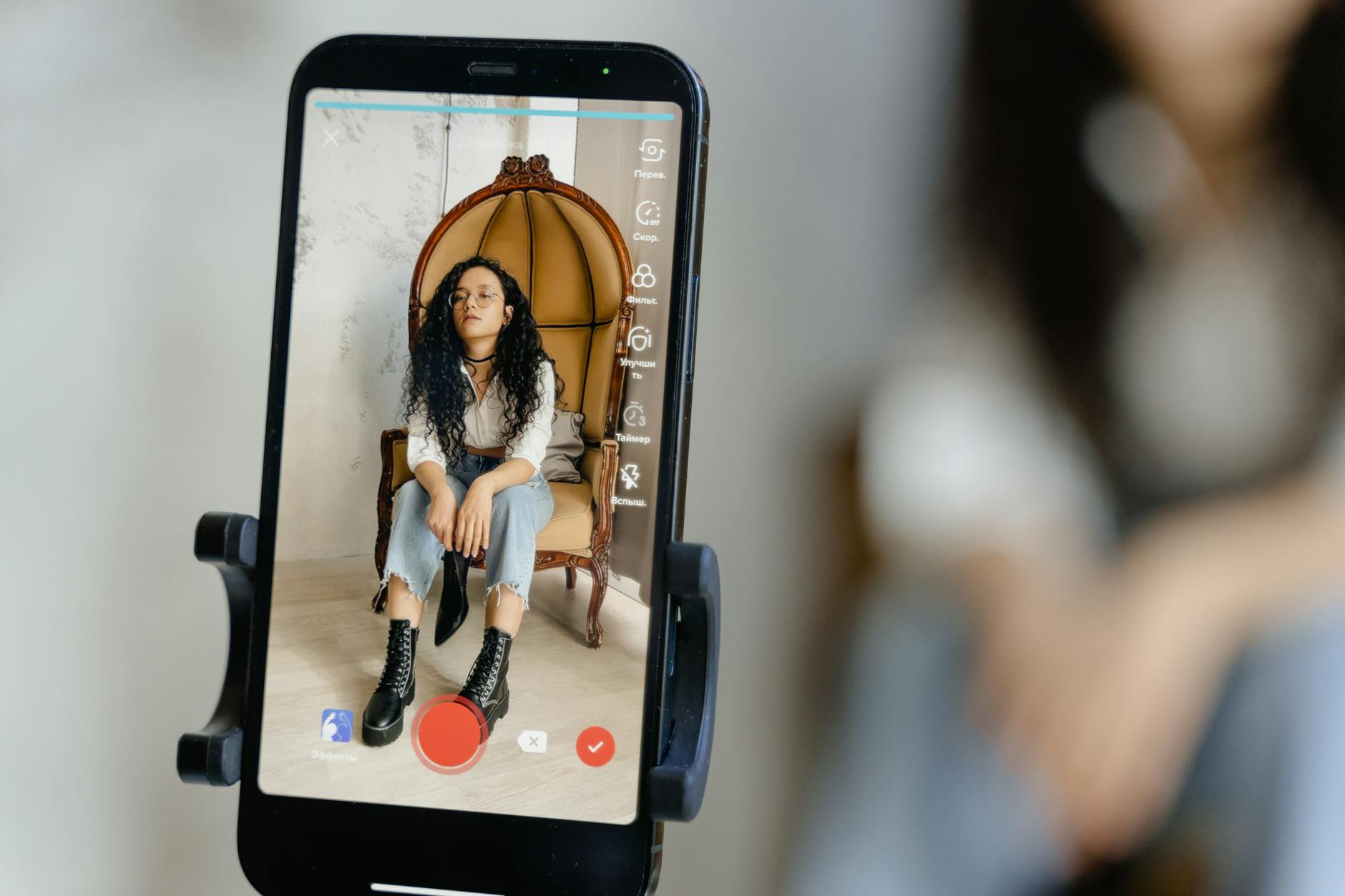
A creator using a mobile device to edit short-form video content, showcasing the intuitive interface and quick editing capabilities required for platforms like TikTok.
How Can You Optimize Your Editing Workflow for Speed and Impact?
Optimizing your editing workflow for speed and impact involves strategic pre-production planning, utilizing efficient software features like presets and templates, and batch processing similar content. This approach minimizes wasted time in post-production, ensures consistency, and allows creators to produce high-quality short-form videos rapidly without sacrificing creative integrity.
Efficiency in editing isn’t just about speed; it’s about maintaining quality under pressure. For brands that need to post frequently, a streamlined workflow for short form video editing tips for TikTok is non-negotiable. Our experience shows that a well-organized process can cut editing time in half.
Pre-Production Planning: The Foundation of Efficiency
The editing process begins long before you open your software. Storyboarding, scripting, and shot listing can dramatically reduce editing time. Knowing exactly what shots you need and how they’ll fit together prevents endless scrolling through footage trying to find the right clip. Consider your hook, main points, and call to action before you even hit record.
Leveraging Templates and Presets for Consistency
Once you’ve established a brand aesthetic, create templates for intros, outros, text overlays, and color grading. Most professional editing software allows you to save presets for effects, transitions, and audio levels. This ensures brand consistency across all your videos and saves immense time. Instead of recreating elements, you’re simply dropping them in.
Batch Editing and Strategic Scheduling
If you’re creating a series of similar videos, consider batch editing. Edit all the hooks for multiple videos, then all the main content, and so on. This keeps you in a creative flow and leverages muscle memory. Also, plan your content calendar strategically. Knowing what you’ll post when allows you to prepare assets and streamline production. To see examples of our efficient workflow in action, take a look at see our portfolio.
What Advanced Techniques Elevate TikTok Content?
Advanced techniques such as sophisticated motion graphics, seamless visual effects, precise color grading, and creative sound design can significantly elevate TikTok content. These professional touches enhance storytelling, create a unique visual identity, and provide a polished, high-quality viewing experience that captivates audiences and distinguishes content from amateur productions.
While the basics of short form video editing tips for TikTok are essential, pushing boundaries with advanced techniques can transform your content from good to unforgettable. These are the details that professional agencies like Motion Edges obsess over, ensuring every frame contributes to a compelling narrative.
Incorporating Motion Graphics and Visual Effects
Subtle motion graphics can add a professional sheen to your TikToks. Think animated text, dynamic lower thirds, or simple kinetic typography that highlights key information. Visual effects, when used sparingly and effectively, can create truly unique moments that capture attention. These shouldn’t overshadow your message but enhance it, making your content more dynamic and visually engaging.
Mastering Color Grading for Brand Consistency
Color grading is more than just making your video look pretty; it’s about establishing a mood and maintaining brand consistency. A cohesive color palette across all your TikToks helps build brand recognition. Whether you aim for vibrant and energetic or cool and sophisticated, consistent color grading adds a professional touch that elevates your content above amateur efforts.
💡 Storytelling through visuals is paramount. Even without complex dialogues, your choice of shots, transitions, and graphic elements should guide the viewer through a clear, engaging narrative that resonates emotionally or intellectually.
Creative Sound Design Beyond Trending Audio
While trending audio is important, creative sound design takes your TikToks to the next level. This includes carefully chosen sound effects that punctuate actions, ambient sounds that establish setting, and layered music that builds emotion. A rich soundscape makes your video more immersive and memorable. Our team takes pride in crafting intricate sound designs that perfectly complement your visuals.

A professional editor working on a multi-track video timeline, demonstrating the complexity and precision involved in high-quality short-form video editing.
Seamless Transitions and Pacing
Beyond basic cuts, seamless transitions can create a fluid, magical viewing experience. Techniques like match cuts, masking transitions, or subtle warp effects can make your video feel incredibly polished. Pacing is also key; knowing when to speed up for excitement and when to slow down for emphasis requires a keen editorial eye. These short form video editing tips for TikTok ensure a professional flow.
Achieving this level of polish can be time-consuming, but the impact on viewer engagement is undeniable. If you’re looking for expert assistance to implement these advanced techniques, we offer transparent pricing for professional video editing that can bring your vision to life.
What Common Mistakes Should You Avoid in TikTok Editing?
Common mistakes in TikTok editing include neglecting the vertical format, using poor audio quality, maintaining slow or inconsistent pacing, having unclear calls to action, and failing to incorporate accessible captions. Avoiding these pitfalls is crucial for maximizing engagement and ensuring your short-form videos perform optimally on the platform, preventing viewer drop-off.
Even with the best intentions, creators often fall into common traps that hinder their TikTok content’s performance. Being aware of these missteps and actively working to avoid them is just as important as knowing the best short form video editing tips for TikTok. Let’s ensure your efforts aren’t undermined by easily avoidable errors.
Ignoring the Vertical Format (9:16 Aspect Ratio)
TikTok is built for vertical viewing. Cropping a horizontal video to fit the vertical screen often results in awkward framing, cut-off subjects, or distracting black bars. Always shoot and edit with the 9:16 aspect ratio in mind. Maximize the screen real estate to fully immerse your viewer. This seemingly simple detail is fundamental for native TikTok content.
Poor Audio Quality and Inconsistent Levels
There’s nothing more jarring than bad audio. Muffled dialogue, excessive background noise, or sudden shifts in volume will make viewers scroll away faster than anything. Invest in a good microphone, record in a quiet environment, and always mix your audio carefully. Ensure music and voiceover levels are balanced and clear. Good audio is often overlooked, but it’s a hallmark of professional production.
⚠️ Never upload a TikTok video with distracting background noise or uneven audio levels. Viewers are highly sensitive to poor sound quality, which can instantly diminish the perceived professionalism of your content.
Overloading with Effects and Transitions
While creative effects are good, too many can be overwhelming and distracting. The goal is to enhance, not to confuse. Use effects sparingly and purposefully. Every effect should serve a function, whether it’s to emphasize a point, create a mood, or transition smoothly. An editor’s skill lies in knowing what to include, but also what to leave out, ensuring clean and impactful short form video editing tips for TikTok are maintained.
Lacking a Clear Call to Action (CTA)
What do you want your viewer to do after watching your video? Follow you? Visit your website? Comment below? End your TikTok with a clear, concise call to action. Without one, you’re missing an opportunity to convert engaged viewers into active participants or customers. Make it explicit and easy to understand. For advanced video strategies and professional execution, don’t hesitate to get in touch with our team.
How long should a TikTok video be for optimal engagement?
While TikTok allows videos up to 10 minutes, optimal engagement usually occurs with videos between 7 and 15 seconds for brand awareness, and up to 30-60 seconds for tutorials or deeper content. The key is to be as concise as possible while delivering your message effectively.
What is the best software for TikTok editing?
Many creators use CapCut for its mobile-friendly interface and TikTok integration. Other popular options include Adobe Premiere Pro for professional-grade editing, DaVinci Resolve for its robust color grading, and InShot for quick edits on the go. The
Ready to Elevate Your Video Content?
Motion Edges delivers professional video editing that drives engagement and growth. Our dedicated editors learn your style and deliver consistently polished content.
Related Services from Motion Edges
- Talking Head Video Editing in New York — clean cuts, captions, and b-roll for YouTube creators
- Talking Head Video Editing in Miami — 48-hour delivery, professional results
- View All Video Editing Services