
Published May 26, 2026 · 14 min read
In today’s visually-driven world, captivating your audience is more challenging than ever. Static visuals just don’t cut it anymore. That’s why understanding how to add motion graphics to videos is no longer a luxury, but a necessity for engaging content. Motion graphics transform ordinary footage into extraordinary visual experiences, grabbing attention and conveying complex messages with dynamic flair. Whether you’re a small business, a content creator, or a marketing professional, mastering this skill can significantly elevate your video production quality and audience retention.
At Motion Edges, we understand the power of compelling visuals. Our team frequently leverages sophisticated motion graphics to bring our clients’ stories to life, ensuring their message resonates long after the video ends. This comprehensive guide will walk you through the essential steps, tools, and strategies for integrating stunning animated elements into your video projects, giving you the edge you need.
💡 Video content with high-quality motion graphics sees significantly higher engagement rates, as dynamic visuals are processed by the brain 60,000 times faster than text alone, making your message more impactful.
Why Are Motion Graphics Essential for Your Videos?
Motion graphics are essential for your videos because they dramatically enhance visual communication, making content more engaging and memorable. They help simplify complex information, direct viewer attention, and reinforce brand identity through dynamic and creative animations. Incorporating these animated elements can significantly improve viewer retention and the overall professional appearance of your video projects.
Enhancing Visual Storytelling
Motion graphics are a powerful tool for visual storytelling, enabling you to convey narratives and concepts that static images or raw video footage might struggle with. Imagine explaining a complex process with just talking heads; now imagine that same explanation augmented with animated diagrams, kinetic typography, and fluid transitions. The latter is far more effective. These dynamic visuals guide the viewer’s eye, highlight key information, and create an immersive experience that keeps them hooked from start to finish. They add layers of meaning and emotion, making your story resonate deeper.
Boosting Brand Recognition
Consistency is key in branding, and motion graphics offer an excellent opportunity to reinforce your brand’s identity. From animated logos at the beginning and end of your videos to branded lower thirds, custom transitions, and on-screen text animations that match your brand’s color palette and typography, motion graphics ensure a cohesive look and feel. This consistent visual communication builds familiarity and trust with your audience, making your content instantly recognizable and professional. A strong visual identity helps differentiate you in a crowded digital landscape, making it easier for viewers to connect with your brand.
Increasing Viewer Engagement
In an age of endless content, capturing and retaining viewer attention is paramount. Videos featuring compelling motion graphics naturally stand out. According to a study by Wyzowl, 87% of businesses now use video as a marketing tool, underscoring the need for high-quality, engaging content. Motion graphics inject energy and dynamism into your videos, breaking up monotony and preventing viewer fatigue. They make information more digestible and entertaining, ensuring your audience stays engaged and absorbs your message effectively. This increased engagement often translates into longer watch times and better conversion rates.
✅ Don’t just animate for animation’s sake. Ensure every motion graphic serves a purpose, whether it’s to clarify a point, emphasize a message, or guide the viewer’s attention. Purposeful animation enhances impact.
What Tools Do You Need to Create Motion Graphics?
To create motion graphics, you primarily need specialized software designed for animation and visual effects, alongside a capable computer system. The industry standard is Adobe After Effects, often paired with Adobe Premiere Pro for video editing. However, there are also numerous beginner-friendly and professional alternatives available, ranging from free online tools to other robust desktop applications, each offering varying levels of functionality and complexity.
Industry-Standard Software
For professional-grade motion graphics, Adobe After Effects is the undisputed industry leader. It offers an extensive suite of tools for animation, visual effects, and compositing, allowing for incredibly complex and detailed motion designs. It integrates seamlessly with other Adobe Creative Cloud applications like Premiere Pro for video editing and Illustrator or Photoshop for graphic design assets. Learning After Effects has a steeper curve, but the creative possibilities are virtually limitless. Other powerful options include Cinema 4D for 3D motion graphics, DaVinci Resolve’s Fusion page, and Apple Motion for macOS users.
Beginner-Friendly Alternatives
If you’re just starting and want to learn how to add motion graphics to videos without the steep learning curve of After Effects, several accessible options exist. Online platforms like Canva and Animaker offer drag-and-drop interfaces with pre-built templates for quick, simple animations. Video editing software like Filmora, DaVinci Resolve (free version), and even basic features within Premiere Pro can handle simpler motion graphics like animated text, lower thirds, and basic transitions. While less powerful, these tools are excellent for getting a feel for motion design and producing effective results quickly.
| Software | Complexity | Key Features | Pricing Model |
|---|---|---|---|
| Adobe After Effects | Advanced | Full animation, VFX, compositing | Subscription |
| Adobe Premiere Pro | Intermediate | Basic motion graphics, video editing | Subscription |
| DaVinci Resolve (Fusion) | Intermediate/Advanced | Node-based compositing, editing | Free/Paid Studio |
| Canva | Beginner | Template-based, drag-and-drop | Free/Subscription |
| Filmora | Beginner/Intermediate | Templates, easy animation, editing | One-time/Subscription |
⚠️ While free templates can be a great starting point, over-reliance on them can make your videos look generic. Always customize templates to align with your brand’s unique style and message to maintain authenticity.

A skilled motion graphics designer brings abstract concepts to life through dynamic animation.
How Do You Plan and Design Effective Motion Graphics?
Planning and designing effective motion graphics involves a structured creative process that starts with understanding your video’s purpose and audience. This includes defining your objectives, developing a clear concept, storyboarding the animated sequences, and carefully selecting design elements that align with your brand and message. A well-executed plan ensures your motion graphics enhance, rather than distract from, your overall video content.
Defining Your Objective and Audience
Before you even open your software, ask yourself: What is the goal of these motion graphics? Are you trying to explain a product feature, highlight statistics, introduce a speaker, or simply add visual flair? Your objective will dictate the style, complexity, and content of your animations. Equally important is understanding your target audience. Are they young and dynamic, preferring fast-paced, vibrant animations, or are they a more corporate audience who would appreciate clean, sophisticated, and informative graphics? Tailoring your design to your audience ensures maximum impact and relevance.
Storyboarding and Animatic Creation
Just as you storyboard a video, you should storyboard your motion graphics. This involves sketching out the key frames and transitions of your animated sequences. This visual roadmap helps you visualize the flow, timing, and interaction of your graphics with your video footage. For more complex projects, an animatic, which is a basic animated version of your storyboard with rough timing, can be incredibly useful. It allows you to test the rhythm and pacing of your motion graphics before committing to full production, saving significant time and resources in the long run. This step is crucial for understanding how to add motion graphics to videos effectively.
Design Principles for Impact
Effective motion graphics aren’t just about movement; they adhere to fundamental design principles. Consider color theory to evoke emotions or highlight brand elements. Typography should be legible and consistent with your brand’s voice, with thoughtful animation to enhance readability. Composition ensures your graphics are balanced and guide the viewer’s eye. Timing and pacing are critical for creating smooth, natural-looking animations that feel integrated with your video. Good design principles make your motion graphics not just look good, but also function effectively in communicating your message.
💡 Simplicity often reigns supreme. Overly complex or cluttered motion graphics can distract viewers and dilute your message. Focus on clarity and purpose in your design.
What Are the Key Steps to Add Motion Graphics to Videos?
The key steps to add motion graphics to videos involve preparing your assets, animating them within your chosen software, integrating them seamlessly into your video editing timeline, and then refining the visuals and timing. This process typically moves from conceptualization and design to animation, compositing, and final output, ensuring the graphics enhance the overall video without overshadowing it.
- Prepare Your Assets. Gather all necessary elements like logos, text, illustrations, and background textures. Organize them in a logical folder structure.
- Design and Animate. Use your chosen software (e.g., After Effects) to create the motion graphics. This involves keyframing, applying effects, and setting up movements.
- Integrate into Video Editor. Import your rendered motion graphics into your primary video editing software (e.g., Premiere Pro) and place them on the timeline.
- Sync and Refine. Adjust the timing of your motion graphics to perfectly synchronize with your video footage and any accompanying audio. Make color corrections or adjustments for visual harmony.
- Export and Deliver. Render your final video with the integrated motion graphics in the appropriate format and resolution for its intended platform.
Integrating with Your Video Footage
Once your motion graphics are animated, the next crucial step is seamlessly integrating them into your video editing timeline. This involves importing the rendered motion graphic files into your video editor and placing them on a track above your main video footage. You’ll need to pay close attention to layering, ensuring that elements appear at the correct depth. For instance, lower thirds should sit ‘on top’ of your speaker, while background animations might appear ‘behind’ them. Proper blending modes and opacity adjustments can help your graphics feel like a natural part of the video, not just an overlay. Our team at Motion Edges excels at this precise integration, ensuring a polished final product.
Syncing Audio and Visuals
Motion graphics are not just visual; they often have an auditory component. Sound effects can dramatically enhance the impact of your animations, from whooshes for transitions to subtle clicks for appearing text. Synchronizing these sound effects with the precise movement of your graphics is vital for a professional feel. Similarly, if your motion graphics are illustrating a narration or dialogue, their timing must be perfectly aligned with the spoken words to avoid confusion or a disjointed experience. This meticulous syncing is a hallmark of high-quality video production and contributes significantly to how to add motion graphics to videos effectively.
✅ Utilize motion graphic templates for efficiency, but always customize them. Change colors, fonts, and even some animation parameters to match your brand and make the template truly your own.
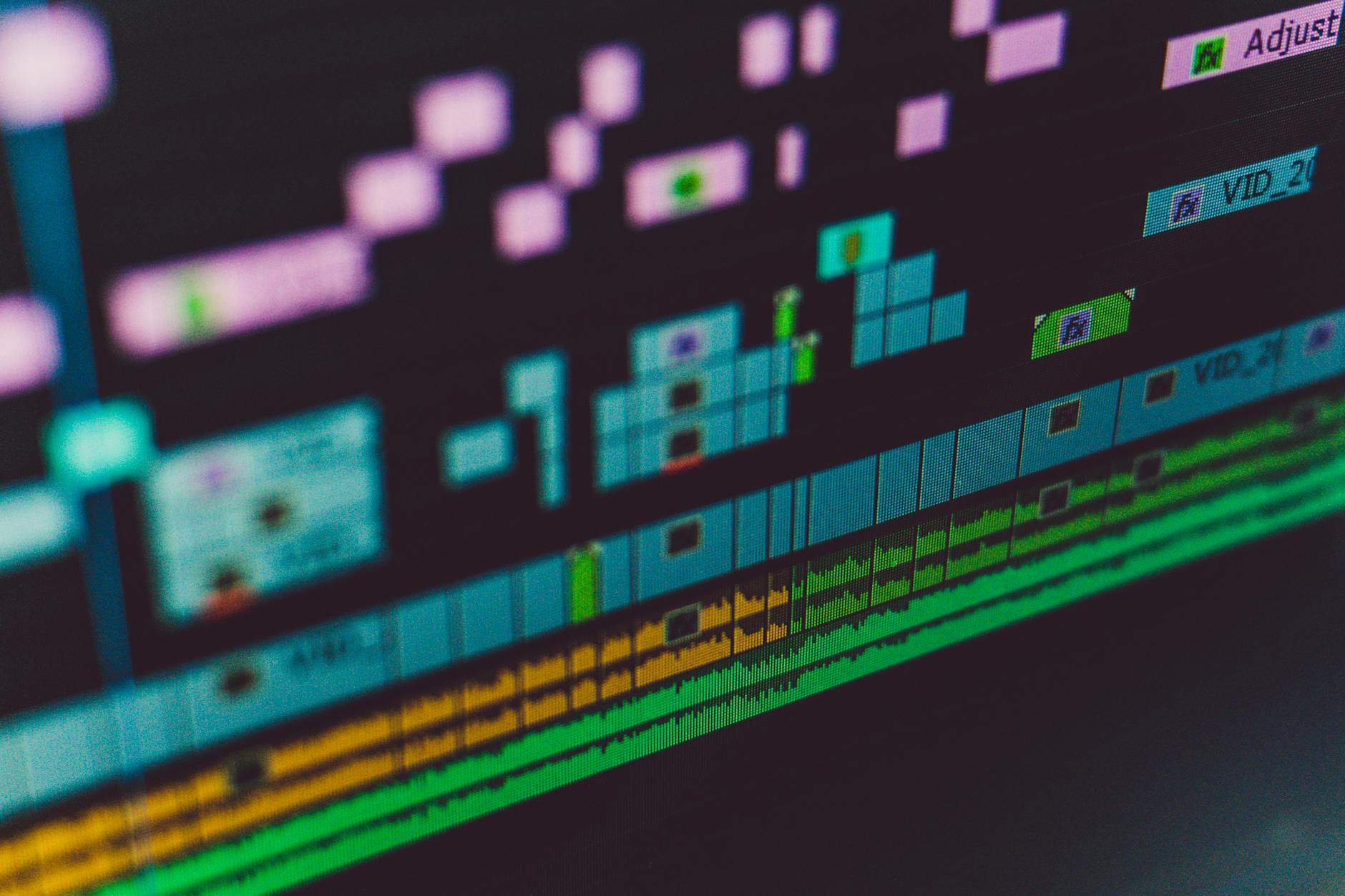
A detailed timeline view in video editing software shows the precise integration of motion graphics layers.
When Should You Consider Professional Motion Graphics Services?
You should consider professional motion graphics services when your project demands a high level of visual sophistication, you lack the specialized software or expertise, or you face tight deadlines. Professionals like our team at Motion Edges can deliver broadcast-quality animations, handle complex visual effects, and ensure your motion graphics align perfectly with your brand strategy, ultimately saving you time and achieving superior results.
Saving Time and Resources
Creating professional motion graphics is time-consuming and requires significant skill development. If you’re running a business or managing multiple projects, dedicating hours to learning complex software and perfecting animations might not be feasible. Outsourcing to experts allows you to focus on your core competencies while ensuring your video content receives top-tier visual treatment. Our transparent pricing structure means you know exactly what to expect, making budget planning straightforward. We can deliver high-quality results efficiently, freeing up your valuable time and internal resources.
Achieving Broadcast-Quality Results
While DIY tools are improving, achieving broadcast-quality motion graphics often requires years of experience with industry-standard software and an understanding of advanced animation principles. Professionals bring a level of polish, creative innovation, and technical precision that can be difficult to replicate without specialized training. They know how to optimize graphics for different platforms, ensure smooth playback, and integrate complex visual effects seamlessly. If your brand relies on a premium image, investing in our professional editing services for motion graphics is a smart decision. You can also see our portfolio to witness the quality of our work.
Overcoming Technical Challenges
Motion graphics projects can present numerous technical hurdles, from rendering issues and software glitches to complex compositing challenges and demanding system requirements. Professional motion graphic designers have the technical expertise and robust hardware to navigate these obstacles efficiently. They can troubleshoot problems, optimize workflows, and ensure your project stays on track, delivering a flawless final product without the stress and frustration of technical roadblocks you might encounter when learning how to add motion graphics to videos on your own. Don’t hesitate to get in touch with our team if you’re facing such challenges.
⚠️ Avoid pixelated or low-resolution motion graphics. Always ensure your assets are high-quality and rendered at the correct resolution for your final video to maintain a professional appearance.
What is the difference between motion graphics and animation?
Motion graphics typically refer to animated graphic design elements, such as animated text, logos, charts, and icons, often used to convey information or enhance visuals in videos. Animation, on the other hand, is a broader term that includes motion graphics but also encompasses character animation, stop-motion, 2D and 3D animation, focusing more on storytelling through moving characters and scenes.
Do I need to be a designer to create motion graphics?
While a design background is beneficial, it’s not strictly necessary to start creating motion graphics. Many beginner-friendly tools and templates exist that allow anyone to create basic animations. However, for truly unique, professional, and impactful motion graphics, an understanding of design principles and specialized software skills is highly advantageous.
Can motion graphics be added to any video editing software?
Most modern video editing software, such as Adobe Premiere Pro, DaVinci Resolve, and Final Cut Pro, allow you to import and integrate motion graphics. While they may have limited built-in animation capabilities, dedicated motion graphics software like Adobe After Effects is typically used to create the animations, which are then rendered and brought into your video editor.
How long does it take to create complex motion graphics?
The time it takes to create complex motion graphics varies greatly depending on the complexity, duration, and style. Simple animated lower thirds might take a few hours, while an intricate explainer video with custom characters and advanced visual effects could take weeks or even months for a professional team to complete.
Are motion graphics expensive to produce?
The cost of producing motion graphics can range from very affordable for basic template-based designs to significant investments for custom, high-end productions. Factors influencing cost include the designer’s experience, software used, complexity of animation, duration, and number of revisions. Professional services often provide a better return on investment due to higher quality and efficiency.
Mastering how to add motion graphics to videos is a transformative skill that can elevate your content from ordinary to extraordinary. From enhancing visual storytelling and boosting brand recognition to significantly increasing viewer engagement, the benefits are undeniable. Whether you choose to dive into the world of professional software yourself or partner with experts, incorporating dynamic visuals is a strategic move for any modern content creator.
Remember, the goal is always to communicate your message effectively and beautifully. By applying the principles and techniques outlined in this guide, you’re well on your way to creating videos that truly stand out. If you’re ready to take your video content to the next level without the steep learning curve, explore our professional motion graphics services at Motion Edges. Let’s create something unforgettable together.
Ready to Elevate Your Video Content?
Motion Edges delivers professional video editing that drives engagement and growth. Our dedicated editors learn your style and deliver consistently polished content.
Related Services from Motion Edges
- Talking Head Video Editing in Austin — clean cuts, captions, and b-roll for YouTube creators
- Talking Head Video Editing in New York — 48-hour delivery, professional results
- View All Video Editing Services