
Published May 27, 2026 · 18 min read
Podcast Video Editing Best Practices: Elevate Your Content
In today’s competitive digital landscape, static audio podcasts are increasingly giving way to dynamic video experiences. Implementing effective podcast video editing best practices isn’t just an option anymore; it’s a necessity for creators looking to capture and retain audience attention. With video content dominating platforms like YouTube and social media, transforming your audio podcast into a visually engaging show can unlock unprecedented growth and connection with your listeners. Our team at Motion Edges understands the nuances of crafting compelling video podcasts that resonate.
💡 Video podcasts typically see significantly higher engagement rates compared to audio-only versions, especially on visual platforms, offering richer storytelling opportunities and broader audience reach.
Why Is Video Essential for Modern Podcasts?
Video is essential for modern podcasts because it significantly enhances audience engagement, expands discoverability across platforms, and allows for deeper connection through visual cues. It transforms a passive listening experience into an active, immersive one, catering to the growing preference for visual content consumption.
The shift towards video podcasting isn’t merely a trend; it’s a fundamental evolution in how audiences consume digital content. Platforms like YouTube, Spotify, and even TikTok are prioritising video, making it crucial for creators to adapt. By embracing video, you’re not just adding a visual layer; you’re creating a multi-sensory experience that can differentiate your podcast in a crowded market.
Expanding Your Reach and Engagement
Adding a video component to your podcast dramatically broadens your potential audience. While audio-only podcasts are primarily discovered on dedicated podcast platforms, video podcasts can thrive on YouTube, Facebook, Instagram, and LinkedIn. According to a study by Statista, YouTube remains the second most popular social media platform globally, offering a massive audience for video content. Optimising your video for these platforms, employing strong SEO strategies, and creating compelling thumbnails are all integral aspects of effective podcast video editing best practices that lead to greater discoverability.
Furthermore, video content tends to have higher engagement rates. Viewers spend more time watching videos than consuming other forms of content, and they are more likely to share video clips. This increased engagement translates into stronger community building around your podcast, fostering loyalty and encouraging word-of-mouth promotion. When viewers can see the host’s expressions, guest’s reactions, or even visual aids, the connection deepens, making the content more memorable and impactful.
Building a Stronger Brand Identity
Visual elements play a critical role in establishing and reinforcing your brand identity. A consistent visual style, including intros, outros, lower thirds, and on-screen graphics, helps to create a professional and recognisable presence. This branding extends beyond just your logo; it encompasses the overall aesthetic, color palette, and visual storytelling style that becomes synonymous with your podcast. A strong visual brand makes your content instantly identifiable and more appealing to new viewers.
For example, if your podcast focuses on technology, incorporating clean, modern graphics and futuristic transitions can reinforce that theme. If it’s a conversational comedy podcast, more dynamic, lighthearted animations might be appropriate. Our team at Motion Edges specialises in helping creators develop a unique visual language that aligns perfectly with their brand’s voice and message. You can see our portfolio to understand how visual branding elevates content.
Monetization Opportunities
Video opens up new avenues for monetization that are often unavailable to audio-only podcasts. YouTube’s partner program, for instance, allows creators to earn revenue through ads displayed on their videos. Beyond ad revenue, video podcasts are highly attractive to sponsors who want their products or services showcased visually. Product placements, integrated brand segments, and visual calls to action become possible, offering more robust sponsorship deals.
Additionally, video content can be easily repurposed into short, engaging clips for social media, driving traffic back to your full episodes or even to exclusive content platforms where you can offer premium subscriptions. This multi-platform approach, leveraging the visual assets created through diligent podcast video editing best practices, diversifies your income streams and builds a more sustainable content creation business.
✅ Invest in good lighting and a clean background for your video podcast. Even with basic equipment, these two elements significantly improve production quality and professionalism.
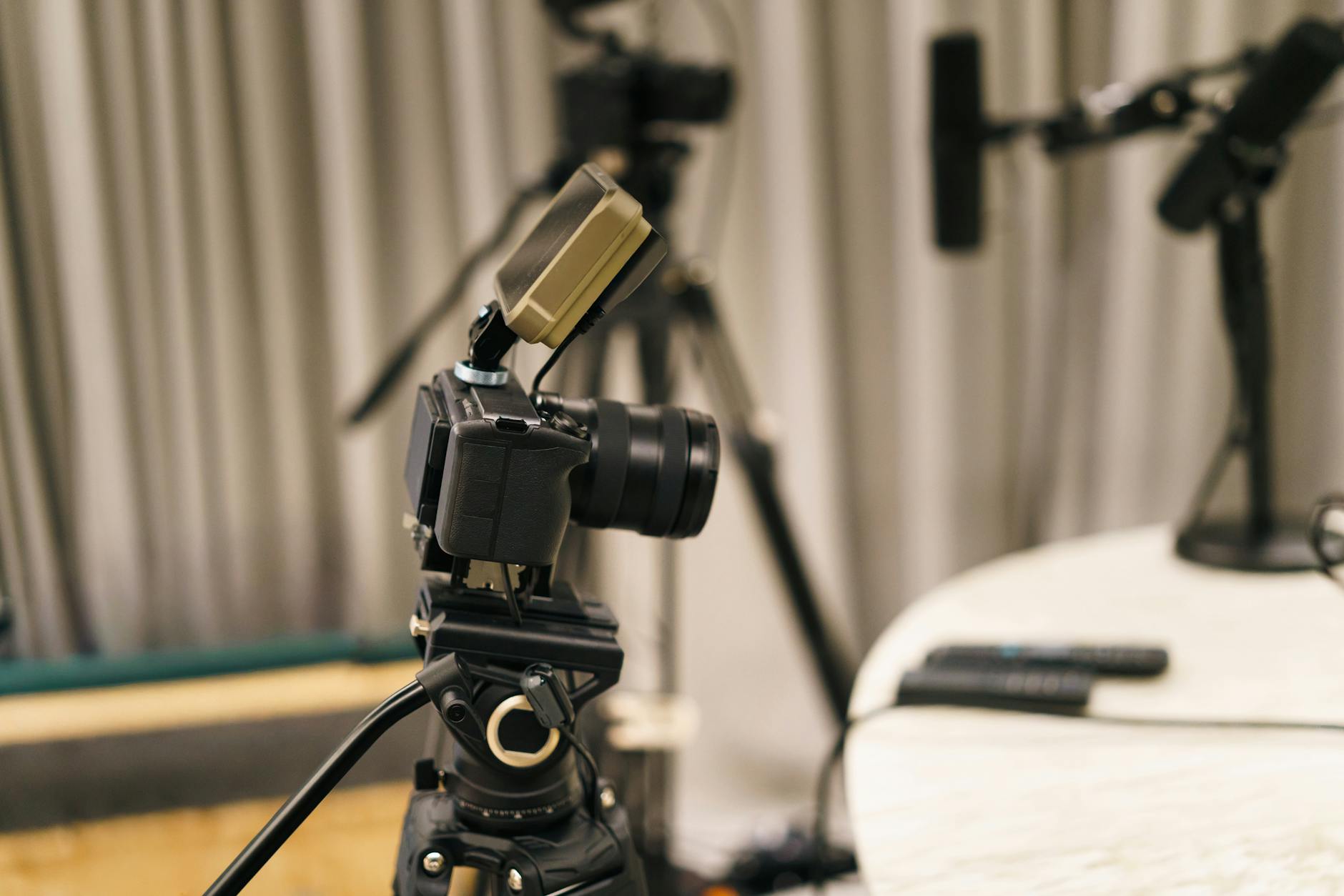
A professional multi-camera setup for a high-quality video podcast recording.
What Are the Core Technical Considerations for Podcast Video?
The core technical considerations for podcast video include selecting appropriate camera equipment, ensuring high-quality audio synchronisation, and optimising for correct aspect ratios and resolutions for various distribution platforms. Addressing these technical aspects upfront is crucial for achieving a professional and watchable final product.
Achieving a professional look and feel for your video podcast goes beyond just pressing record. It requires careful attention to technical details that ensure clarity, consistency, and compatibility across different viewing environments. Overlooking these foundational elements can lead to a frustrating viewing experience, even if your content is exceptional. Let’s break down the essential technical aspects.
Optimal Camera Setup and Lighting
For most video podcasts, a multi-camera setup is ideal to capture different angles of hosts and guests, making the final edit more dynamic. High-definition cameras (1080p or 4K) are now standard, providing crisp, clear visuals. However, the best camera won’t matter without proper lighting. Good lighting eliminates harsh shadows, illuminates faces evenly, and creates a professional atmosphere. A three-point lighting setup (key light, fill light, backlight) is often recommended, but even a well-placed ring light can make a significant difference for solo hosts.
Consider the background as well. A cluttered or distracting background can detract from your message. A clean, branded, or aesthetically pleasing backdrop enhances the overall production value. Investing in a dedicated recording space or optimising an existing one for visual appeal is a key component of applying podcast video editing best practices.
High-Quality Audio Synchronisation
While video adds the visual appeal, audio remains the backbone of any podcast. Poor audio quality can quickly turn viewers away, regardless of how good your video looks. Therefore, using high-quality microphones (e.g., XLR condenser mics) for each speaker is paramount. The challenge with video podcasts is ensuring that this pristine audio is perfectly synchronised with the video footage.
During editing, precise audio-video synchronisation is critical. Using a clapboard at the start of recording or an audio sync tone can simplify this process in post-production. Modern editing software often has automatic sync features, but manual checks are always recommended. Our editors meticulously align every audio track to its corresponding video, ensuring a seamless viewing experience where dialogue matches lip movements perfectly.
Aspect Ratios and Resolutions
Different platforms prefer or require specific aspect ratios and resolutions. The standard for YouTube and most horizontal video is 16:9 (e.g., 1920×1080 for HD, 3840×2160 for 4K). However, for social media snippets, you might need 9:16 (for vertical shorts like TikTok or Instagram Reels) or 1:1 (for square posts). Understanding these requirements upfront will guide your shooting and editing process.
| Platform | Recommended Aspect Ratio | Optimal Resolution | Use Case |
|---|---|---|---|
| YouTube | 16:9 (Horizontal) | 1920×1080 (HD), 3840×2160 (4K) | Full episodes, long-form content |
| Instagram Reels/TikTok | 9:16 (Vertical) | 1080×1920 | Short, engaging clips, behind-the-scenes |
| Facebook/LinkedIn Feed | 1:1 (Square) or 4:5 | 1080×1080 (1:1), 1080×1350 (4:5) | Promotional clips, audience engagement |
| Podcast Platforms (with video) | 16:9 | 1920×1080 | Primary video podcast distribution |
Failure to export in the correct resolution and aspect ratio can result in black bars, cropped content, or pixelation, diminishing the professional quality of your video. Part of our our professional editing services includes ensuring that your final output is perfectly optimised for every platform you intend to distribute on, adhering to all podcast video editing best practices.
How Do You Structure an Engaging Podcast Video Editing Workflow?
Structuring an engaging podcast video editing workflow involves meticulous pre-production planning, a systematic editing process from rough cut to final polish, and strategic incorporation of visual elements and graphics. A well-organised workflow ensures efficiency, consistency, and a high-quality final product that keeps viewers captivated.
An efficient editing workflow is the backbone of producing high-quality video podcasts consistently. Without a structured approach, the editing process can become chaotic, time-consuming, and prone to errors. At Motion Edges, we’ve refined our workflow to maximise creativity while maintaining strict quality control. Here’s how we recommend structuring your editing journey.
- Organise Your Assets. Before starting, gather all video footage, audio recordings, graphics, music, and any B-roll. Label files clearly and create a logical folder structure.
- Synchronise Audio and Video. Import all media into your editing software. Use automated sync tools or manual alignment to ensure perfect audio-video synchronisation.
- Create a Rough Cut. Assemble the primary footage, cutting out pauses, stutters, and irrelevant sections. Focus on the narrative flow and pacing, getting the story right first.
- Refine the Edit. Go through the rough cut, tightening up transitions, adjusting timing, and adding secondary footage like B-roll or interview cutaways to enhance visual interest.
- Incorporate Graphics and Visual Elements. Add branded intros/outros, lower thirds for names, on-screen text for key points, and any motion graphics or visualisers.
- Audio Sweetening. Clean up audio, remove background noise, apply compression, EQ, and normalise levels to ensure consistent, clear sound throughout.
- Color Correction and Grading. Adjust white balance, exposure, and contrast to ensure consistent visual quality. Apply a creative color grade to establish a mood or brand look.
- Final Review and Export. Watch the entire video multiple times, checking for any errors. Get a second pair of eyes if possible. Export in the appropriate formats and resolutions for each platform.
Pre-Production Planning and Organisation
The editing process truly begins before recording even starts. Effective pre-production planning significantly streamlines post-production. This includes scripting or outlining your episodes, planning your shots (if using multiple cameras), deciding on branding elements, and identifying potential B-roll footage. A detailed plan helps your editor anticipate needs and avoid costly re-edits.
For example, knowing which segments require on-screen text or which topics would benefit from a visual aid allows the editor to prepare these elements in advance. Proper file naming conventions and organised folders for all media assets are also crucial. Imagine trying to find a specific clip from hours of footage without clear labels; it’s a nightmare. Adhering to these organisational principles is a foundational part of podcast video editing best practices.
The Editing Process: From Rough Cut to Final Polish
The core editing process involves several stages, each building upon the last. It starts with the rough cut, where the editor assembles the primary footage, removing major mistakes, long pauses, and anything that breaks the flow. This stage focuses on getting the narrative structure right. Once the rough cut is approved, the editor moves to the fine cut, where transitions are smoothed, pacing is adjusted, and secondary footage is strategically placed.
The final polish includes color correction, audio sweetening, and adding any last-minute effects or adjustments. This iterative process, often involving client feedback and revisions, ensures that the final video is polished, professional, and perfectly aligned with the client’s vision. We offer transparent pricing that includes revision rounds to ensure your satisfaction.
Incorporating Visual Elements and Graphics
Visual elements are what transform an audio podcast into a video experience. This includes branded intros and outros, lower thirds for speaker names and titles, animated transitions, and on-screen text to highlight key points. Motion graphics, such as animated logos or data visualisations, can significantly elevate the production value and make complex information more digestible. Even simple background loops or animated sound wave visualisers can add a dynamic touch.
These elements should be consistent with your brand identity and used judiciously to avoid overwhelming the viewer. They should enhance the content, not distract from it. Thoughtful integration of these visual components is a hallmark of professional podcast video editing best practices.
⚠️ A common mistake is neglecting audio quality, assuming video will compensate. Remember, viewers will tolerate imperfect video more readily than poor audio. Prioritise clear, consistent sound.
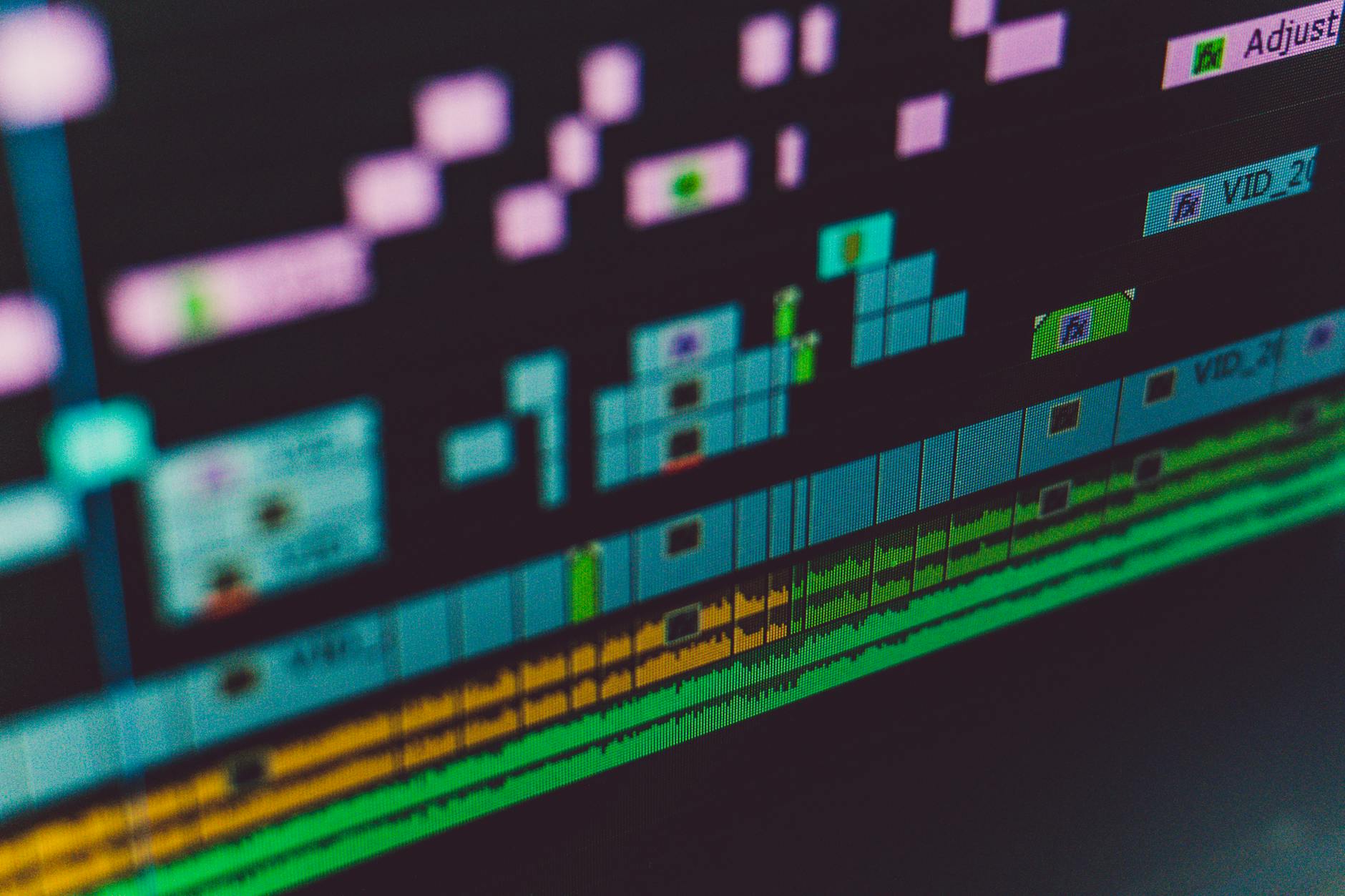
Adding engaging motion graphics and lower thirds to a podcast video enhances viewer experience.
What Visual Enhancements Boost Podcast Viewer Retention?
Visual enhancements that boost podcast viewer retention include dynamic cuts, strategic B-roll integration, on-screen text, captions, lower thirds, and branded intros, outros, and transitions. These elements break visual monotony, reinforce key messages, and maintain viewer engagement throughout the episode.
Keeping viewers engaged for the entire duration of a podcast episode can be challenging, especially for longer formats. This is where clever visual enhancements come into play. They serve to maintain visual interest, reinforce information, and prevent viewer fatigue. Our expertise in podcast video editing best practices lies in knowing exactly which enhancements to apply and when.
Dynamic Cuts and B-Roll Integration
Static shots of talking heads can quickly become boring. Dynamic cuts, which involve switching between different camera angles of speakers, or using jump cuts effectively, can keep the visual flow energetic. Even subtle zooms and pans can add movement without being distracting. Strategic use of B-roll footage is another powerful tool. B-roll can be anything from relevant stock footage, animated explainers, screen recordings, or clips that visually illustrate a point being discussed. It breaks up the monotony and provides visual context, making the content more engaging and informative.
For example, if you’re discussing a news event, showing relevant news clips or images can make the conversation more impactful. If you’re talking about a product, showcasing the product with B-roll footage is far more effective than just describing it. The goal is to use visuals to complement and elevate the audio narrative, ensuring viewers remain captivated.
On-Screen Text, Captions, and Lower Thirds
Text-based visual aids are incredibly effective for reinforcing key information, making your podcast accessible, and boosting engagement. On-screen text can highlight important statistics, quotes, or actionable advice, making it easy for viewers to grasp crucial points even if they’re watching without sound. Captions (subtitles) are essential for accessibility, allowing hearing-impaired individuals to enjoy your content, and are also highly beneficial for viewers watching in noisy environments or with sound off (which is common on social media).
Lower thirds, which display speaker names, titles, or website URLs, add a professional touch and help viewers identify who is speaking, especially in multi-person podcasts. These elements are not just functional; when designed well, they contribute to your overall brand aesthetic and are a core part of podcast video editing best practices.
Branded Intros, Outros, and Transitions
Consistent branding throughout your video podcast creates a professional and cohesive experience. Branded intros (often 5-15 seconds) set the tone, introduce your podcast, and establish your visual identity. Outros provide a clear call to action, reminding viewers to subscribe, visit your website, or check out other episodes. Custom transitions, instead of simple cuts, can add a layer of polish and uniqueness, making your podcast feel more premium.
These branded elements act as visual anchors, grounding your content and reinforcing your brand identity with every view. They are critical for establishing a professional image and ensuring viewers associate high quality with your podcast.
Audio Visualisers and Animated Elements
For podcasts that might have long segments with minimal visual changes, such as an interview that focuses heavily on dialogue, an audio visualiser can be a simple yet effective way to add dynamic movement. An audio visualiser displays animated sound waves that react to the spoken audio, providing a subtle visual cue that the podcast is live and engaging. While not as rich as B-roll, it’s a significant upgrade from a completely static image.
Similarly, other animated elements, like subtle background animations or animated icons that appear when specific topics are mentioned, can keep the visual field interesting without distracting from the main content. These small touches, when implemented expertly, enhance viewer experience.
How Can You Optimise Your Video Podcast for Distribution?
Optimising your video podcast for distribution involves strategic YouTube SEO and thumbnail design, repurposing content for diverse social media platforms, and incorporating clear calls to action and engagement prompts. This multi-faceted approach ensures maximum reach, discoverability, and viewer interaction across various digital channels.
Creating a great video podcast is only half the battle; getting it seen by the right audience is the other. Effective distribution and optimisation strategies are paramount to maximising your content’s impact and achieving growth. This involves tailoring your content and metadata for each platform.
YouTube SEO and Thumbnail Strategy
YouTube is arguably the most important platform for video podcasts. To succeed there, you need to master YouTube SEO. This includes using relevant keywords in your video titles, descriptions, and tags. A detailed description that includes timestamps, speaker names, and a summary of key topics not only helps with SEO but also improves viewer experience. Creating compelling, custom thumbnails is equally vital. Your thumbnail is often the first thing a potential viewer sees, and it needs to be eye-catching, clearly convey the video’s content, and stand out in a crowded feed.
Think of your thumbnail as a mini-billboard for your episode. It should ideally include a clear image, concise text, and reflect your brand’s aesthetic. A well-optimised title and a strong thumbnail are non-negotiable podcast video editing best practices for YouTube success.
Repurposing for Social Media Platforms
Don’t just upload your full episode to YouTube and call it a day. Repurpose your video podcast content into shorter, engaging clips for platforms like Instagram, TikTok, Facebook, and LinkedIn. Identify the most compelling soundbites, humorous moments, or insightful takeaways from your full episode and edit them into vertical or square video snippets (as discussed in the aspect ratio table above). Add captions, branded overlays, and a strong hook to these short clips.
These micro-content pieces act as trailers, driving traffic back to your full-length video podcast. Each platform has its own audience and content preferences, so tailoring your repurposed content to fit these nuances is key. This strategy ensures you’re reaching your audience wherever they spend their time online.
Call to Actions and Engagement Prompts
Every video podcast should guide viewers on what to do next. Integrate clear calls to action (CTAs) throughout your video and in your descriptions. This could be asking viewers to subscribe to your channel, like the video, leave a comment, visit your website, or share the episode with a friend. Visual CTAs, such as on-screen text or animated prompts, are particularly effective.
Encouraging engagement directly, by asking questions during the episode or prompting viewers to share their thoughts in the comments, fosters a sense of community and boosts algorithm performance. Remember, engaged viewers are more likely to become loyal subscribers and advocates for your podcast. For tailored advice on your specific podcast needs, you can always get in touch with our team.
💡 Maximise your video podcast’s reach by creating short, impactful highlight reels for social media. These ‘trailers’ can significantly boost discoverability and drive traffic to your full episodes.
Frequently Asked Questions About Podcast Video Editing
How long should a video podcast be?
The ideal length for a video podcast varies depending on your content and audience. Many successful video podcasts range from 30 minutes to 1.5 hours. For YouTube, longer videos (over 10 minutes) can perform well if the content is engaging. However, for social media, shorter clips (under 60 seconds) are much more effective for capturing attention and driving discovery.
What’s the difference between a video podcast and a YouTube show?
While often similar, a video podcast typically originates from an audio podcast that has added a visual component, often focusing on the hosts and guests talking. A YouTube show might be created primarily for video, incorporating more complex visual storytelling, varied segments, and higher production values from the outset. Many video podcasts are also published as YouTube shows, blurring the lines.
Do I need expensive equipment for video podcasting?
Not necessarily. While professional equipment can yield superior results, you can start with a good smartphone camera, a decent external microphone, and proper lighting (even natural window light works). The key is consistency in quality and applying solid podcast video editing best practices. As your podcast grows, you can gradually upgrade your gear.
Should I add music to my video podcast?
Yes, adding background music can significantly enhance the mood and professionalism of your video podcast. Use royalty-free music for intros, outros, and transitional segments. Ensure the music is subtle during dialogue so it doesn’t distract from the conversation. The right music choice can establish a consistent brand identity and make your podcast more enjoyable to watch.
How often should I publish video podcasts?
Consistency is more important than frequency. Whether you publish weekly, bi-weekly, or monthly, stick to a schedule your audience can anticipate. Regular uploads help build audience loyalty and improve your content’s visibility on platforms like YouTube. Ensure your production workflow can sustain your chosen publishing schedule without compromising quality.
Conclusion
Embracing podcast video editing best practices is no longer optional; it’s a strategic imperative for any podcaster aiming for significant growth and audience connection. From optimising technical aspects and structuring an efficient workflow to employing visual enhancements and smart distribution strategies, every step contributes to a more engaging and professional product. At Motion Edges, we’re dedicated to helping you transform your audio podcast into a visual powerhouse that stands out. By integrating these practices, you’ll not only expand your reach but also build a stronger, more memorable brand that resonates deeply with your audience. Don’t just make a podcast, create an experience.
Ready to Elevate Your Video Content?
Motion Edges delivers professional video editing that drives engagement and growth. Our dedicated editors learn your style and deliver consistently polished content.
Related Services from Motion Edges
- Talking Head Video Editing in Austin — clean cuts, captions, and b-roll for YouTube creators
- Talking Head Video Editing in New York — 48-hour delivery, professional results
- View All Video Editing Services