
- Why is Short Form Video Editing So Important for TikTok Success?
- What Are the Essential Short Form Video Editing Tips for Captivating Audiences?
- How Can You Optimize Your Workflow for Efficient TikTok Video Creation?
- What Advanced Short Form Video Editing Tips Elevate Your TikTok Content?
- How Can You Ensure Your TikTok Videos Drive Real Results and Engagement?
Published May 26, 2026 · 14 min read
In today’s fast-paced digital landscape, mastering short form video editing tips for TikTok isn’t just an advantage, it’s a necessity for anyone looking to capture attention and build a thriving online presence. TikTok, with its addictive feed of quick, engaging videos, has reshaped how we consume content, making expert editing crucial for standing out. Whether you’re a brand, an influencer, or a casual creator, understanding the nuances of short form video production can dramatically boost your reach and engagement.
At Motion Edges, we’ve seen firsthand how polished, well-edited short videos can transform a brand’s narrative. It’s not just about what you show, but how you show it. From snappy transitions to perfect sound design, every element plays a vital role in hooking viewers within those critical first few seconds. Let’s dive into the strategies and techniques that will elevate your TikTok content from ordinary to extraordinary.
💡 TikTok videos under 15 seconds consistently have the highest completion rates, emphasizing the need for extremely tight editing and immediate hooks.
Why is Short Form Video Editing So Important for TikTok Success?
Short form video editing is paramount for TikTok success because it directly impacts audience retention and algorithmic favorability. Users on TikTok have incredibly short attention spans, demanding content that is instantly engaging, visually dynamic, and concise. Effective editing ensures your message is delivered quickly and memorably, encouraging viewers to watch repeatedly and share, which signals to TikTok’s algorithm that your content is valuable.
TikTok’s platform is built on discovery and rapid consumption. If your video doesn’t grab attention immediately, users will swipe past it in milliseconds. This makes the first 1-3 seconds of your video, often referred to as the ‘hook,’ absolutely critical. Our team focuses on crafting these hooks with precision, using dynamic visuals, intriguing questions, or surprising reveals to stop the scroll.
The Power of the First Few Seconds
Think of your TikTok video’s opening as a micro-commercial for the rest of your content. You have mere moments to convince a viewer to stay. This means every frame counts. We recommend starting with a strong visual, a compelling question, or a surprising fact. Avoid slow intros or lengthy brand logos. Get straight to the point that delivers value or intrigue.
Moreover, the pacing throughout your short form video needs to be brisk. Long, drawn-out shots can lose viewers quickly. Break up your content with quick cuts, scene changes, and visual variety to maintain a high energy level that aligns with TikTok’s native viewing experience.
How TikTok’s Algorithm Favors Engagement
TikTok’s powerful ‘For You Page’ (FYP) algorithm prioritizes content that generates high engagement. Key metrics include watch time, shares, comments, and likes. Videos that are well-edited tend to perform better across all these metrics because they are more enjoyable and easier to consume.
When users watch your video to completion, or even rewatch it, the algorithm takes notice. This signals that your content is high-quality and relevant, leading to broader distribution. Our expertise in video editing helps ensure your content is not just aesthetically pleasing, but also strategically designed for maximum algorithmic impact, helping your short form video editing tips for TikTok pay off.
What Are the Essential Short Form Video Editing Tips for Captivating Audiences?
Essential short form video editing tips for captivating audiences include mastering rapid pacing, strategic sound design, and effective visual storytelling through text and graphics. These elements combine to create a dynamic and immersive viewing experience that hooks viewers from the start and keeps them engaged. Understanding how to balance these components is key to producing viral-worthy TikTok content that resonates with your target audience.
Effective editing on TikTok goes beyond simply cutting clips together. It’s about crafting an experience that feels native to the platform. Here’s how we approach it:
Mastering the Hook and Pacing
The hook, as mentioned, is paramount. But beyond that, the overall pacing of your video needs to be relentless. Most successful TikToks feature cuts every 1-3 seconds. This rapid-fire approach keeps the viewer’s attention locked in, preventing boredom. Our editors are skilled at identifying the perfect moments for cuts, ensuring a seamless flow that feels natural yet energetic.
Consider using jump cuts strategically to create urgency or to skip unnecessary pauses. Varying shot types and angles can also enhance pacing, adding visual interest that prevents monotony. Remember, TikTok is about quick, impactful bursts of content, and your editing should reflect that.
Leveraging Sound and Music Effectively
Sound is arguably half the battle on TikTok. Trending sounds and music can significantly increase your video’s visibility and relatability. Always incorporate trending audio when relevant to your content. Beyond that, consider sound effects to enhance visual actions or add humor.
When using voiceovers, ensure crystal-clear audio quality. Background music should complement, not overpower, your message. Our team often uses a layered approach, blending trending audio with original sound design to create a rich, immersive auditory experience that keeps viewers engaged. For complex audio mixing or professional voiceovers, consider exploring our professional editing services.
Visual Storytelling with Text and Graphics
Text overlays and graphics are powerful tools for conveying information quickly and enhancing visual appeal. Use clear, readable fonts that contrast well with your background. Position text strategically so it doesn’t obstruct important visuals, and ensure it’s on screen long enough to be read, but not so long that it slows the pace.
Animated text, emojis, and stickers can add personality and emphasize key points. Consider using captions for accessibility and to reinforce your message, especially since many users watch videos without sound initially. These visual cues are essential short form video editing tips for TikTok success.
✅ Use a variety of shot types and angles to keep your video visually dynamic. Mixing close-ups, medium shots, and wider angles prevents visual monotony and maintains viewer interest.

Effective short form video editing involves dynamic cuts, engaging text, and strategic sound to captivate audiences quickly.
How Can You Optimize Your Workflow for Efficient TikTok Video Creation?
Optimizing your workflow for efficient TikTok video creation involves strategic planning, utilizing the right tools, and streamlining your editing process. By establishing a clear content strategy and implementing batch creation techniques, you can significantly reduce production time while maintaining high-quality output. An efficient workflow ensures you can consistently post engaging content without feeling overwhelmed, a crucial aspect of mastering short form video editing tips for TikTok.
Consistency is key on TikTok, and a streamlined workflow makes that possible. Here’s how we approach efficiency without compromising quality:
Planning Your Content Before You Shoot
Before you even hit record, plan your video. What’s the message? What’s the hook? What’s the call to action? Storyboarding, even roughly, can save hours in editing. Decide on your trending audio, text overlays, and visual effects beforehand.
Batching content creation is another powerful strategy. Instead of creating one video at a time, shoot multiple videos in a single session. This optimizes your time by consolidating setup, lighting, and costume changes. Having a content calendar also helps maintain a consistent posting schedule and ensures you’re always creating relevant, timely content.
Choosing the Right Editing Tools
For quick edits on the go, TikTok’s in-app editor is surprisingly robust. It offers direct access to trending sounds, effects, and text tools. However, for more polished, professional results, external apps like CapCut (mobile) or desktop software like Adobe Premiere Pro and DaVinci Resolve offer greater control over color grading, advanced transitions, and motion graphics.
The choice of tool depends on your specific needs and skill level. For brands requiring high-quality, branded content, desktop software is often preferred for its precision and comprehensive features. If you’re looking for expert assistance with complex editing, our transparent pricing ensures you get professional results within your budget.
- Outline Your Concept. Define your video’s goal, message, and target audience. Sketch out key shots and text overlays.
- Batch Your Filming. Shoot several videos in one session to save time on setup and breakdown. Capture B-roll and multiple takes.
- Pre-select Audio. Identify trending sounds or music that align with your content before you start editing.
- Edit in Batches. Once you have your footage, edit multiple videos sequentially, applying similar styles or effects for efficiency.
- Review and Refine. Watch your drafts, ideally with fresh eyes, to catch errors and ensure optimal pacing and engagement.
⚠️ A common mistake is overlooking the importance of good lighting and clear audio during filming. Even the best editing can’t fully salvage poorly captured footage, so invest time in quality production.
What Advanced Short Form Video Editing Tips Elevate Your TikTok Content?
Advanced short form video editing tips that truly elevate your TikTok content include mastering seamless transitions, applying professional color grading, and strategically incorporating dynamic motion graphics. These techniques move beyond basic cuts to create a more sophisticated, visually compelling narrative that stands out in a crowded feed. By focusing on these refined elements, you can achieve a polished, high-production feel that resonates deeply with viewers.
Once you’ve mastered the basics, it’s time to explore techniques that give your content that extra professional edge. This is where the artistry of video editing truly shines.
Strategic Use of Transitions and Effects
While jump cuts are effective, strategic transitions can add polish and creativity. Think beyond basic fades. Consider whip pans, match cuts, or creative masking transitions that seamlessly blend one scene into the next. TikTok’s in-app effects can be fun, but external editing software offers more precise control for unique, branded effects.
Experiment with speed ramps to emphasize certain actions or create dramatic shifts in mood. Reverse effects can also be incredibly engaging. The key is to use these effects purposefully, enhancing your story rather than distracting from it. Our editors understand how to weave these elements into your short form video editing tips for TikTok without overdoing it.
Polishing Your Visuals with Color Grading
Color grading can transform the mood and aesthetic of your video. A consistent color palette across your TikToks helps establish your brand identity. You don’t need to be a professional colorist, but understanding basic color correction and grading tools in apps like CapCut or desktop software can make a huge difference.
Adjusting exposure, contrast, saturation, and applying subtle color shifts can make your footage look more cinematic and professional. A consistent look makes your content instantly recognizable and more appealing to viewers. If you need help achieving a professional look, don’t hesitate to get in touch with our team.
Incorporating User-Generated Content (UGC)
UGC is gold for TikTok. If your brand or niche encourages user submissions, incorporating these clips into your videos can build community and provide authentic social proof. Editing UGC requires careful selection and often some light standardization to match your video’s overall aesthetic.
Creating compilations of user testimonials, reactions, or creative uses of your product not only provides fresh content but also fosters a sense of belonging among your audience. It’s a powerful way to leverage your community’s creativity and amplify your message.
| Feature/Aspect | Mobile Editing (e.g., CapCut, TikTok app) | Desktop Editing (e.g., Premiere Pro, DaVinci Resolve) |
|---|---|---|
| Ease of Use | Very High, intuitive interface | Moderate to High, steeper learning curve |
| Precision Control | Limited, touch-based | Extensive, frame-by-frame accuracy |
| Advanced Effects & Graphics | Basic to Moderate, template-driven | Unlimited, custom creation possible |
| Color Grading | Basic presets & adjustments | Professional-grade tools, LUTs |
| Audio Mixing | Basic volume & sound effects | Multi-track mixing, advanced effects |
| Collaboration | Limited to individual files | Robust project sharing, team features |
| Cost | Often Free or low subscription | Higher subscription or one-time cost |
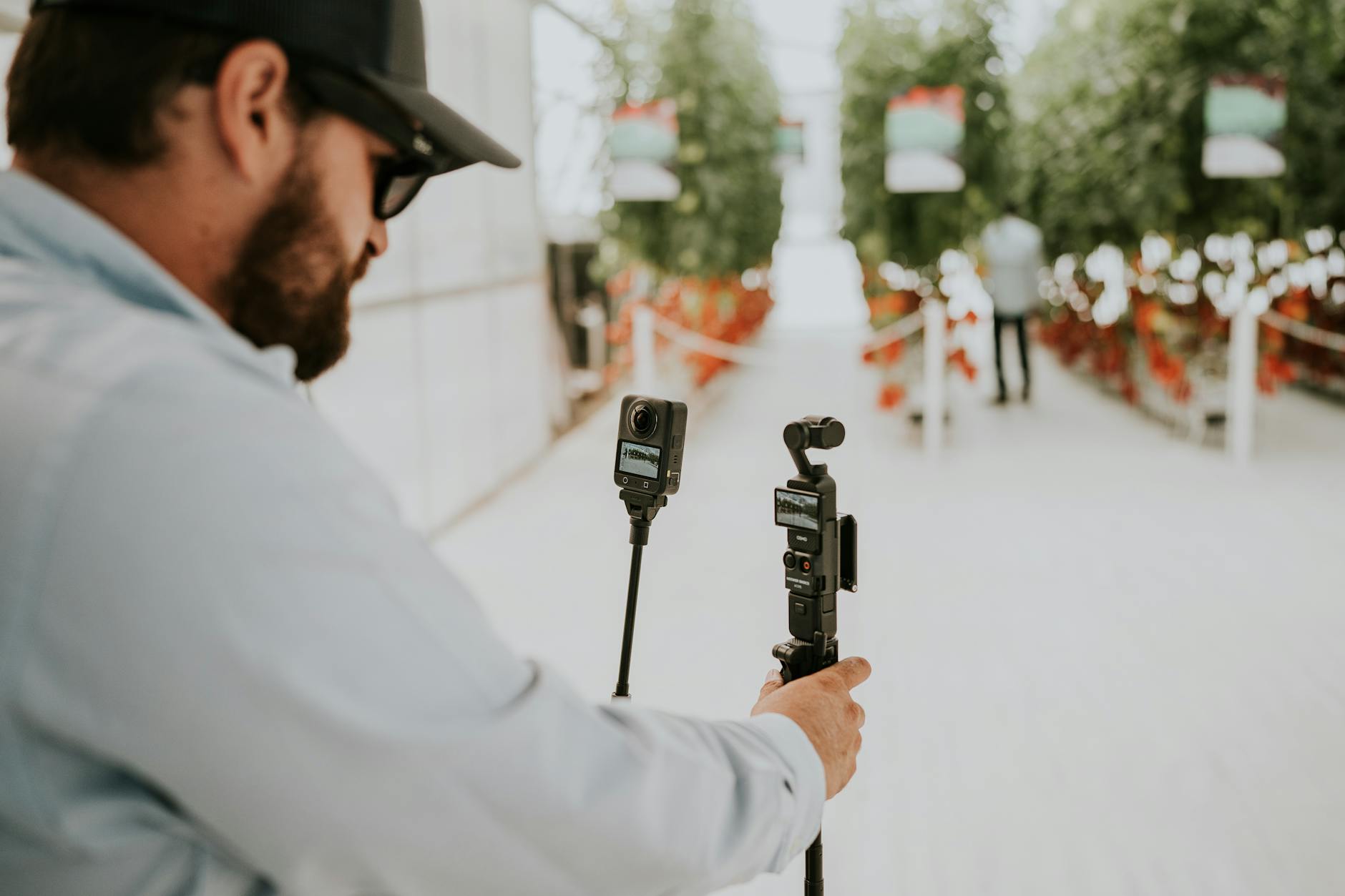
Advanced editing techniques like sophisticated transitions and color grading elevate TikTok content for a professional, engaging look.
How Can You Ensure Your TikTok Videos Drive Real Results and Engagement?
To ensure your TikTok videos drive real results and engagement, focus on crafting compelling calls to action, diligently analyzing performance metrics, and actively engaging with your community. Beyond stellar short form video editing tips for TikTok, strategic post-production and audience interaction are vital. By continuously refining your strategy based on data and fostering genuine connections, you can transform views into tangible outcomes and build a loyal following.
Editing is just one piece of the puzzle. To truly succeed on TikTok, you need to think about the entire content lifecycle.
Crafting Compelling Calls to Action
Every video should have a purpose. Do you want viewers to visit your website, follow your account, share the video, or leave a comment? Make your call to action (CTA) clear, concise, and easy to execute. Place it strategically at the end of your video, or even visually integrated throughout.
Use text overlays, verbal cues, or even on-screen gestures to guide your audience. A strong CTA transforms passive viewers into active participants, driving conversions and engagement. For examples of how we integrate CTAs into various video types, see our portfolio.
Analyzing Performance and Adapting Strategy
TikTok’s analytics provide invaluable insights into your content’s performance. Pay attention to metrics like watch time, audience retention, peak viewing times, and audience demographics. Which videos performed best? What did they have in common?
Use this data to inform your future content strategy. If videos with a certain type of hook perform better, replicate that success. If your audience drops off at a specific point, examine your editing at that moment. Continuous learning and adaptation are crucial for sustained growth.
Engaging with Your TikTok Community
TikTok is a social platform, and interaction is key. Respond to comments, like relevant user videos, and even create content based on user questions or challenges. This builds a loyal community and shows your audience that you value their input.
Consider running polls, Q&A sessions, or duet videos to encourage participation. The more you engage, the more your audience feels connected to your brand, which translates into higher organic reach and stronger brand advocacy. Remember, short form video editing tips for TikTok are not just about creating, but also about connecting.
💡 Repurposing your TikTok content for other platforms like Instagram Reels or YouTube Shorts can maximize your reach and content investment, but remember to adjust aspect ratios and captions accordingly.
Mastering short form video editing tips for TikTok is an ongoing journey of learning and adaptation, but one that offers immense rewards for your brand or personal presence. By focusing on rapid pacing, compelling sound design, visual storytelling, and strategic engagement, you can create content that not only stops the scroll but converts viewers into loyal followers.
At Motion Edges, our team is passionate about helping you achieve your video marketing goals. We understand the nuances of the TikTok algorithm and the demands of short-form content. Whether you’re looking to refine your current strategy or need professional assistance to produce high-impact videos, we’re here to help you harness the full potential of short form video editing tips for TikTok. Let’s create something unforgettable together.
What is the ideal length for a TikTok video?
While TikTok allows videos up to 10 minutes, the ideal length for maximum engagement and completion rates is typically between 7 and 15 seconds. Shorter videos tend to perform better on the platform’s algorithm and keep viewers hooked.
Should I use TikTok’s in-app editor or external software?
For quick, casual content, TikTok’s in-app editor is convenient and effective, especially for using trending sounds and effects. For more polished, branded, or complex videos requiring advanced transitions, color grading, or motion graphics, external software like CapCut (mobile) or Adobe Premiere Pro (desktop) offers greater control and professional results.
How important is sound in TikTok video editing?
Sound is incredibly important on TikTok. It’s often said to be half the experience. Using trending sounds can significantly boost discoverability. Beyond that, clear voiceovers, engaging music, and strategic sound effects are crucial for conveying emotion, maintaining viewer interest, and enhancing the overall storytelling.
What are some common mistakes to avoid when editing short form video for TikTok?
Common mistakes include slow intros, inconsistent pacing, poor audio quality, using too many distracting effects, and neglecting clear calls to action. Additionally, failing to optimize for vertical viewing or ignoring current TikTok trends can hinder performance.
How often should I post on TikTok to see results?
Consistency is key on TikTok. Many experts recommend posting 1-3 times per day, especially when you’re starting out, to quickly understand what resonates with your audience and to stay relevant on the ‘For You Page.’ However, quality should always take precedence over quantity.
Ready to Elevate Your Video Content?
Motion Edges delivers professional video editing that drives engagement and growth. Our dedicated editors learn your style and deliver consistently polished content.
Related Services from Motion Edges
- Talking Head Video Editing in Houston — clean cuts, captions, and b-roll for YouTube creators
- Talking Head Video Editing in Los Angeles — 48-hour delivery, professional results
- View All Video Editing Services