
- Why is Quality Video Editing for Online Courses So Crucial?
- What Essential Tools and Software Do You Need for Online Course Video Editing?
- What Are the Key Steps in the Video Editing Process for Online Courses?
- How Can You Optimize Your Online Course Videos for Maximum Learning Impact?
- What Common Mistakes Should Course Creators Avoid in Video Editing?
- Should You DIY or Outsource Video Editing for Online Courses?
Published May 27, 2026 · 13 min read
Creating compelling online courses requires more than just great content; it demands exceptional video editing for online courses. In today’s competitive digital learning landscape, high-quality video production isn’t just a bonus, it’s a necessity for engaging students and ensuring your educational message resonates. Poorly edited videos can distract, disengage, and ultimately undermine the value of your course material. Here at Motion Edges, we understand the unique challenges and opportunities that come with crafting educational videos.
Whether you’re an independent course creator or a large educational institution, optimizing your video content for clarity, impact, and student retention is paramount. We’ll explore why skilled video editing is so vital, the tools you’ll need, essential steps in the process, and common pitfalls to avoid.
💡 Engaging video content can increase student completion rates by up to 80% compared to text-only courses. Visual storytelling is key to retaining information and maintaining interest in online learning environments.
Why is Quality Video Editing for Online Courses So Crucial?
Quality video editing for online courses is crucial because it directly impacts student engagement, comprehension, and the perceived value of your educational offering. Professional editing enhances clarity, removes distractions, and creates a seamless learning experience that keeps students motivated. It transforms raw footage into polished, effective e-learning content.
Enhancing Student Engagement and Retention
In an era of shrinking attention spans, compelling video is your greatest asset for keeping students hooked. Well-paced edits, dynamic transitions, and strategically placed visual cues can maintain interest and prevent learners from clicking away. According to a study by Kaltura, 75% of students prefer learning via video, highlighting its power to engage. Our team focuses on crafting videos that not only inform but also captivate your audience, making complex topics easier to digest and remember. This sustained engagement directly correlates with higher course completion rates and better learning outcomes.
Building Credibility and Professionalism
Your online course videos are often the first impression students have of your expertise and your brand. High-quality video production signals professionalism and attention to detail, instilling trust and confidence in your learners. Conversely, poorly edited videos, with choppy cuts, bad audio, or inconsistent visuals, can undermine your credibility, making your content appear less authoritative. We help course creators present their material in a polished, expert manner that elevates their standing in the digital education space.
Improving Clarity and Understanding
Effective video editing for online courses isn’t just about making things look good, it’s about making them clear. Strategic cuts can remove filler words, pauses, and irrelevant information, allowing your core message to shine through. Incorporating text overlays, annotations, and graphics can further clarify complex concepts, breaking them down into digestible visual chunks. This focus on clarity ensures that your students can easily follow along and grasp key concepts without confusion, leading to a more effective learning experience.
✅ Always start with a strong script or outline. A well-structured narrative makes the editing process smoother and ensures your course content flows logically and purposefully, saving significant time in post-production.
What Essential Tools and Software Do You Need for Online Course Video Editing?
For effective video editing for online courses, you’ll need a robust computer, reliable editing software, and quality audio equipment. The choice of software often depends on your budget and desired complexity, ranging from user-friendly options for beginners to professional suites for advanced motion graphics and color grading. Good lighting and a stable camera are also foundational.
Choosing the Right Editing Software
The heart of your post-production workflow lies in your video editing software. The market offers a wide range of options, each with its strengths and learning curve. For beginners or those on a budget, free options like DaVinci Resolve (free version) or CapCut can provide powerful features. Intermediate users often gravitate towards Adobe Premiere Pro or Final Cut Pro for their comprehensive toolsets and industry-standard capabilities. Here’s a quick comparison:
| Software | Pros | Cons | Best For |
|---|---|---|---|
| Adobe Premiere Pro | Industry standard, powerful features, integrates with Adobe Creative Cloud | Subscription cost, steep learning curve | Professionals, complex projects, motion graphics |
| DaVinci Resolve | Excellent color grading, powerful free version, comprehensive features | Resource intensive, complex interface for beginners | Advanced users, colorists, those seeking free professional tools |
| Final Cut Pro | Optimized for Mac, intuitive interface, fast performance | Mac only, one-time high cost | Mac users, fast-paced educational video production |
| Camtasia | Screen recording focus, easy to learn, good for simple edits | Limited advanced features, less powerful than NLEs | Screen-share tutorials, basic course videos |
Essential Hardware and Peripherals
Beyond software, your hardware setup is critical. A powerful computer with a fast processor (Intel i7/Ryzen 7 or better), ample RAM (16GB minimum, 32GB recommended), and a dedicated graphics card is essential for smooth editing and rendering. External hard drives are crucial for storing large video files, and an SSD (Solid State Drive) for your operating system and project files will significantly speed up your workflow. Don’t forget a comfortable mouse and keyboard, and potentially a second monitor to expand your workspace.
Microphones and Lighting for Professional Results
While often overlooked, audio quality is arguably more important than video quality for online courses. A good microphone, such as a lavalier mic or a USB condenser mic, will dramatically improve your sound. Similarly, proper lighting ensures your instructor appears clear and professional. A simple two or three-point lighting setup can make a world of difference. Investing in these peripherals ensures your final videos are professional and easy for students to engage with.
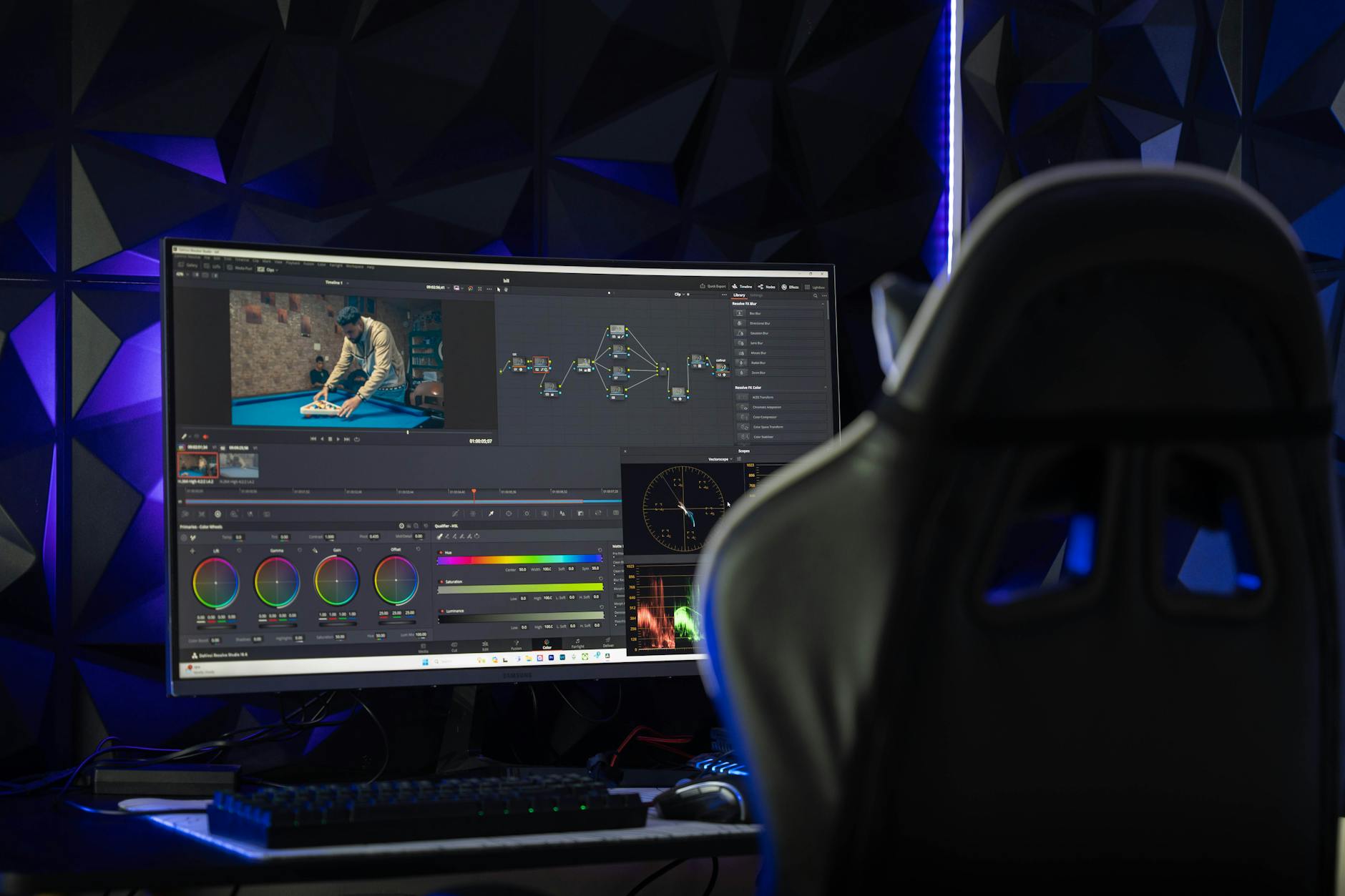
A professional video editing setup can significantly enhance the quality of your online course materials.
What Are the Key Steps in the Video Editing Process for Online Courses?
The video editing process for online courses involves several key stages: ingesting and organizing footage, assembling a rough cut, refining with fine edits and transitions, enhancing audio and adding graphics, and finally, color correction and export. Each step builds upon the last to create a polished, effective educational video.
Pre-Production Foundations
Effective video editing for online courses actually begins long before you open your editing software. Pre-production, including scripting, storyboarding, and shot planning, lays the groundwork for a smooth post-production process. A detailed script ensures all necessary information is covered, while storyboards help visualize the flow and identify required shots. Clear planning minimizes reshoots and ensures you capture all the elements needed for a compelling course video. Our team at Motion Edges often advises clients on these crucial initial steps to streamline the entire production.
Post-Production Polish: A Step-by-Step Guide
Once your footage is shot, the real magic of post-production begins. Here’s a breakdown of the typical workflow:
- Ingest and Organize Footage. Import all your raw video, audio, and graphic files into your editing software. Create a clear folder structure within your project to keep everything organized and easily accessible.
- Assemble the Rough Cut. Arrange your clips in chronological order, following your script or outline. Focus on getting the basic narrative flow right, cutting out obvious mistakes or unnecessary pauses. Don’t worry about perfection at this stage.
- Refine with Fine Edits and Transitions. Tighten up your cuts, remove filler words, and adjust pacing. Add appropriate transitions (e.g., fades, dissolves) to create smooth shifts between segments. Ensure consistency in your editing style.
- Enhance Audio. This is critical for online courses. Clean up background noise, normalize volume levels, and apply compression or EQ to make dialogue crisp and clear. Add background music or sound effects sparingly, ensuring they don’t distract from the instruction.
- Incorporate Visual Aids and Graphics. Add text overlays, lower thirds, callouts, and motion graphics to highlight key points, introduce speakers, or animate concepts. Ensure these elements are legible and visually consistent with your branding.
- Color Correction and Grading. Adjust the color balance, exposure, and contrast to ensure your footage looks professional and consistent across all segments. This improves visual appeal and perceived quality.
- Review and Export. Watch the entire video multiple times, ideally with fresh eyes or a colleague, to catch any errors. Make final adjustments based on feedback. Finally, export your video in the appropriate format and resolution for your chosen online course platform.
⚠️ Never skip the audio check! Poor audio quality is the number one reason students disengage from online course videos. Always monitor your sound during recording and meticulously edit it in post-production.
How Can You Optimize Your Online Course Videos for Maximum Learning Impact?
You can optimize your online course videos for maximum learning impact by focusing on clear, concise communication, incorporating visual aids, maintaining consistent branding, and ensuring high-quality audio. Strategic pacing and the judicious use of on-screen text also play significant roles in reinforcing key concepts and preventing cognitive overload for students.
Mastering Pacing and Flow
The pacing of your online course videos is crucial for maintaining student engagement and comprehension. Avoid dragging out explanations or rushing through complex topics. A good editor knows how to create a dynamic flow, cutting out dead air and unnecessary pauses, while also allowing enough time for key information to sink in. We often recommend breaking longer lectures into shorter, digestible modules to prevent cognitive fatigue and improve retention, aligning with best practices in instructional design.
Incorporating Visual Aids and Graphics
Visuals are incredibly powerful tools for enhancing learning. Beyond just showing the instructor, consider integrating on-screen text, animated graphics, diagrams, and relevant B-roll footage to illustrate points, break up monotony, and highlight key takeaways. These elements make complex information more accessible and memorable. Our professional editing services specialize in creating custom motion graphics and visual effects that elevate your e-learning content and make your course stand out.
Achieving Crystal-Clear Audio
We’ve said it before, and we’ll say it again: audio is paramount. Even with stunning visuals, bad audio will quickly turn students away. Ensure your voiceover is clear, free of background noise, and consistent in volume. Use noise reduction tools, equalizers, and compressors in your editing software to achieve broadcast-quality sound. If you’re struggling with this, remember that our team has advanced audio engineering expertise to ensure your message is heard perfectly.
What Common Mistakes Should Course Creators Avoid in Video Editing?
Course creators should avoid several common mistakes in video editing, including neglecting audio quality, using inconsistent visuals, failing to optimize for different platforms, and skipping thorough review processes. These errors can significantly diminish the effectiveness and professionalism of your online course content, leading to student disengagement and poor learning outcomes.
Overlooking Audio Quality
This is perhaps the most critical mistake. Many course creators invest heavily in cameras and lighting but neglect their audio. Muffled sound, excessive background noise, or inconsistent volume levels can be incredibly distracting and make your course difficult to follow. Always prioritize clear audio, as students are far more forgiving of imperfect visuals than poor sound. A dedicated microphone and careful post-production audio mastering are non-negotiable for effective video editing for online courses.
Inconsistent Branding and Visuals
Your online course should have a cohesive look and feel that reflects your brand. Inconsistent fonts, color palettes, lower thirds, or intro/outro sequences can make your content seem disjointed and unprofessional. Establish a clear style guide before you begin editing and adhere to it throughout all your videos. This consistency builds trust and reinforces your brand identity, making your course feel more premium. You can see our portfolio for examples of how consistent branding elevates video projects.
Skipping Crucial Review Phases
Rushing to publish without thorough review is a common pitfall. Always review your edited videos multiple times, ideally taking breaks between viewings. Have others review your content for clarity, accuracy, and any technical glitches. A fresh pair of eyes can spot errors you might have missed. This iterative feedback loop is essential for catching mistakes before they reach your students and ensuring the highest quality output for your educational videos.

Careful attention to detail in editing prevents common mistakes that can detract from learning.
Should You DIY or Outsource Video Editing for Online Courses?
Deciding whether to DIY or outsource video editing for online courses depends on your budget, time availability, and desired quality level. DIY is suitable for basic projects with ample time, but outsourcing offers professional polish, efficiency, and access to advanced techniques without requiring a steep learning curve. Professionals can elevate your course content significantly.
Pros and Cons of DIY Editing
Doing your own video editing for online courses can be a rewarding experience, offering complete creative control and potentially saving money on production costs. It’s a great way to learn new skills and maintain a hands-on approach to your content. However, DIY editing demands a significant time investment, a steep learning curve for mastering software, and the risk of producing less-than-professional results if you lack experience. Your time is valuable, and spending hours on editing might detract from developing new course content or marketing your existing ones.
When to Hire Professional Editors
If you’re aiming for high production value, need to scale your course offerings rapidly, or simply lack the time and expertise, hiring professional video editors is often the best choice. Professionals bring advanced skills in motion graphics, color grading, audio mastering, and storytelling that can transform your raw footage into engaging, impactful learning experiences. For many course creators, the investment in professional services pays off in increased student satisfaction, higher completion rates, and a more polished brand image. We offer transparent pricing structures designed to fit various project needs, ensuring you get top-tier results without breaking the bank. Don’t hesitate to get in touch with our team to discuss your specific needs.
✅ Consider a hybrid approach: handle basic edits yourself for simple content, but outsource complex intro/outro sequences, advanced graphics, or full course modules to professional agencies to maintain high visual quality.
Frequently Asked Questions About Video Editing for Online Courses
How long does it take to edit a 10-minute online course video?
Editing a 10-minute online course video can take anywhere from 5 to 20 hours, depending on the complexity of the footage, required graphics, audio cleanup, and revision rounds. Our team typically estimates 2 to 5 hours per finished minute for standard educational content.
What’s the most important aspect of video editing for online courses?
Without a doubt, audio quality is the most important aspect. Clear, crisp audio ensures your message is effectively communicated and prevents student disengagement. Visuals are important, but poor audio will almost always drive learners away faster.
Can I use my smartphone to record online course videos?
Yes, modern smartphones can capture high-quality video, especially in good lighting. However, you’ll still need a dedicated external microphone for clear audio and stable footage (using a tripod). Proper video editing for online courses can elevate smartphone footage significantly.
How can I make my online course videos more engaging?
To make your videos more engaging, focus on dynamic pacing, incorporate relevant visual aids like text overlays and motion graphics, maintain direct eye contact with the camera, and keep segments concise. A professional editor can help weave these elements together seamlessly for maximum impact.
What file format is best for uploading online course videos?
For most online course platforms, MP4 (H.264 codec) is the universally recommended file format. It offers a good balance of quality and file size, ensuring compatibility and smooth playback for your students across various devices.
Effective video editing for online courses is no longer an option, it’s a fundamental requirement for creating impactful and engaging educational content. By understanding the tools, processes, and best practices, you can elevate your course offerings, enhance student learning, and solidify your reputation as an expert in your field. Whether you choose to master the craft yourself or partner with experienced professionals like Motion Edges, investing in high-quality video production will undoubtedly yield significant returns for your online courses. We’re here to help you turn your vision into a captivating learning experience.
Ready to Elevate Your Video Content?
Motion Edges delivers professional video editing that drives engagement and growth. Our dedicated editors learn your style and deliver consistently polished content.
Related Services from Motion Edges
- Talking Head Video Editing in Los Angeles — clean cuts, captions, and b-roll for YouTube creators
- Talking Head Video Editing in Austin — 48-hour delivery, professional results
- View All Video Editing Services