- Why Video Editing Defines Your Channel’s Success
- 1. Hook Viewers in the First 30 Seconds
- 2. Master Pacing , The Most Underrated Editing Skill
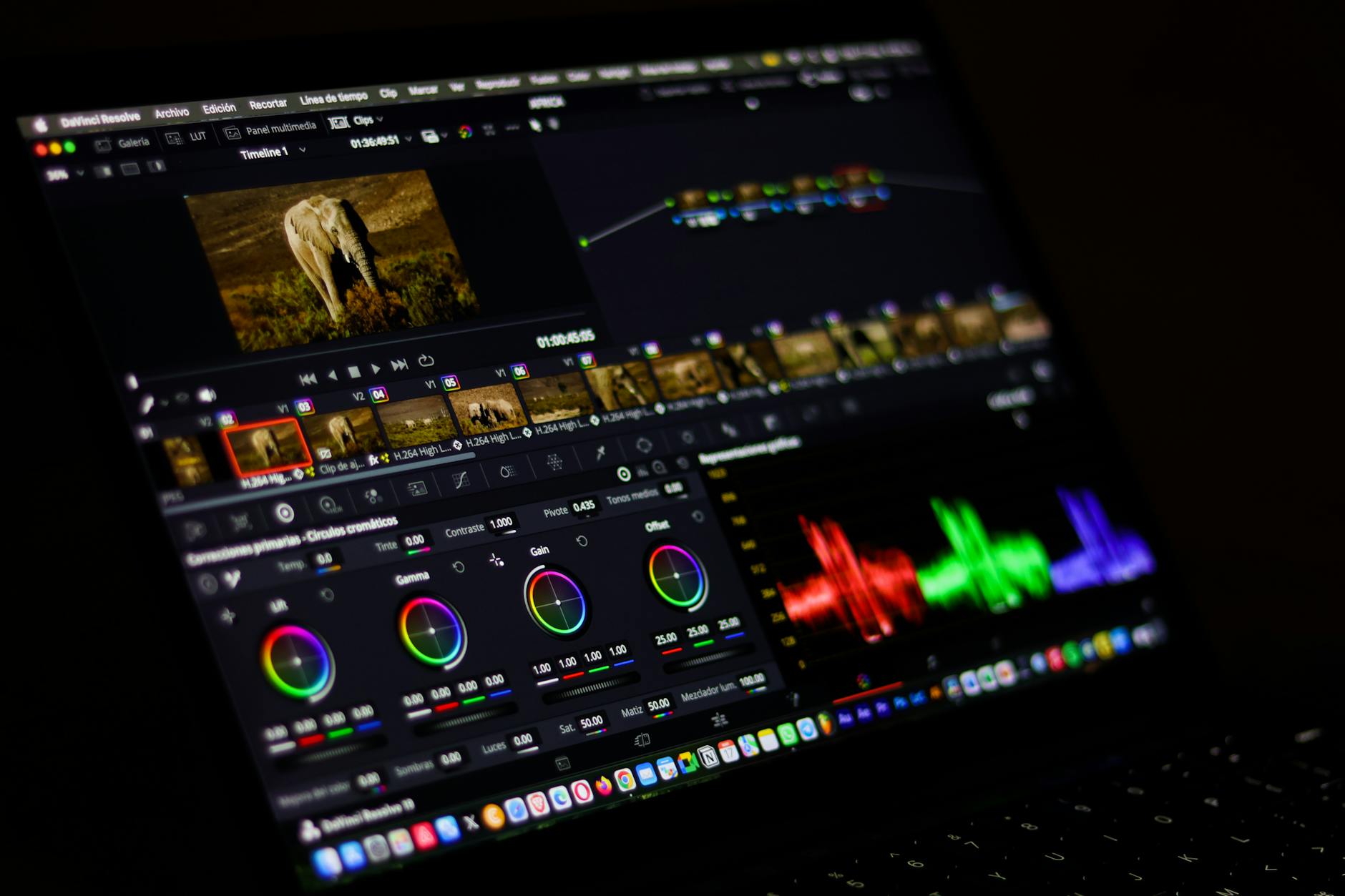
- 3. Colour Grading: Make Your Videos Look Professional Instantly
- 4. Captions, Text, and Graphics That Reinforce Your Message
- 5. Video Editing Tips for YouTube Content Creators: The Retention Graph Hack
- 6. Thumbnail Matching: The Edit Starts Before the Video Does
- 7. When to Outsource Your Editing (and How to Do It Well)
- Build the Editing Habits That Compound Over Time
Video Editing Tips for YouTube Content Creators That Actually Move the Needle
If you’re serious about growing on YouTube, you already know that filming great footage is only half the battle. The real magic , the part that keeps viewers watching, drives subscriptions, and builds a loyal audience , happens in the edit. These video editing tips for YouTube content creators are drawn from real-world experience editing thousands of hours of content across niches, from tech reviews and vlogs to tutorials and brand storytelling. Whether you’re cutting your own videos or thinking about outsourcing, this guide gives you the honest, specific advice that actually works in 2026.
Why Video Editing Defines Your Channel’s Success
YouTube’s algorithm is ruthlessly simple: it rewards retention. If viewers click away after 30 seconds, the platform stops pushing your content. If they watch 70,80% of your video and hit the subscribe button, you’re in growth territory. The single biggest lever you have over audience retention is how well your video is edited.
Pacing, music selection, colour grading, caption styling, and smart cuts all work together to create a viewing experience that feels effortless to the audience , even though producing it is anything but. At Motion Edges, we’ve seen firsthand how a strong edit can double a creator’s average view duration without them ever changing what they say on camera.
1. Hook Viewers in the First 30 Seconds
The opening of your video is the most valuable real estate on your channel. Viewers decide within the first few seconds whether to keep watching or scroll to something else. Here’s how to nail it every time:
Cut the preamble completely
Delete the “Hey guys, welcome back to my channel” intro until after you’ve delivered a hook. Start mid-action, mid-statement, or with a compelling question. Show the best moment from your video first , a technique called a cold open , then cut back to the beginning.
Use a pattern interrupt
A sudden sound effect, a jump cut, a graphic overlay, or a music sting in the first five seconds resets the viewer’s brain and signals that something interesting is happening. Editors call this a pattern interrupt, and it’s one of the most effective tools in the box.
Keep your B-roll tight
If your opening relies on B-roll, make sure every clip is under three seconds. Long, slow opener shots feel cinematic in a film trailer but deadly on YouTube, where viewers have infinite alternatives one swipe away.
2. Master Pacing , The Most Underrated Editing Skill
Pacing is not about making your video fast , it’s about making it feel right. A high-energy gaming video and a calm meditation tutorial need completely different rhythms, but both need to move with intention. Flat pacing is the number-one reason good content underperforms.
Remove every second of dead air
Go through your timeline and cut every pause longer than half a second. You’ll be surprised how much tighter the video feels without the viewer ever noticing what’s gone. Many experienced editors use the “L-cut” and “J-cut” techniques , overlapping audio and video transitions , to create a seamless, conversational flow.
Use music to guide the energy
Your background track isn’t decoration , it’s an emotional pacing tool. Match cuts to beat drops, lift the volume during high-energy moments, and pull it back during personal or instructional segments. Royalty-free libraries like Epidemic Sound and Artlist have thousands of tracks built for this kind of editorial control.
Vary your shot length deliberately
If every cut happens every two seconds, the rhythm becomes predictable and the viewer disengages. Alternate between fast sequences and slightly longer, more deliberate shots to give the viewer moments to breathe and process information.
3. Colour Grading: Make Your Videos Look Professional Instantly
You don’t need a cinema camera to have a cinematic look. Smart colour grading can elevate footage shot on a mid-range mirrorless or even a smartphone into something that looks polished and professional.
Start by colour correcting , balancing exposure, white balance, and contrast to create a clean, accurate baseline. Then apply a consistent LUT (Look-Up Table) or grade that matches your brand. Consistency across your videos trains viewers to recognise your content visually, which is a subtle but powerful channel-building strategy.
If colour work isn’t your strength, it’s one of the most noticeable areas where professional video editing services deliver an immediate visual upgrade. Our team at Motion Edges grades every project to broadcast standard, ensuring your videos look sharp on every screen.
4. Captions, Text, and Graphics That Reinforce Your Message
Over 85% of social video is watched without sound at some point during its lifecycle , and YouTube is no exception. Captions aren’t just an accessibility feature; they’re a retention tool.
Animated captions beat static ones every time
Word-by-word animated captions , popularised by short-form content , perform well on long-form YouTube too, particularly in talking-head segments. They give the eye something to follow and emphasise your key points without slowing down the pace.
Use lower thirds strategically
Introduce yourself, name your guests, and label key information using clean lower-third graphics. These tiny details signal production quality and build viewer trust faster than almost anything else you can add in post.
Don’t overload the screen
More is not more. Text-heavy screens with competing graphics cause cognitive overload and viewers tune out. One message at a time, delivered cleanly, lands harder than five messages fighting for attention.
5. Video Editing Tips for YouTube Content Creators: The Retention Graph Hack
YouTube Studio gives you a gift that most creators ignore: the audience retention graph. This moment-by-moment map shows exactly where viewers drop off, re-watch, or click away. Use it ruthlessly.
After every video goes live, study the graph. Identify the two or three timestamps where you lose the most viewers and ask yourself why. Was it a slow segment? A confusing transition? A title card that felt like an ending? Re-edit those sections in your next video before they happen, not after.
High-retention segments , the parts of your graph that spike , tell you what your audience loves most. Double down on that content, that format, that energy. The retention graph is essentially free editorial feedback from your entire audience, and it’s more valuable than any course or tutorial you’ll find elsewhere.
6. Thumbnail Matching: The Edit Starts Before the Video Does
The thumbnail and title are technically marketing assets, but they directly affect your editing decisions. If your thumbnail promises a dramatic reveal, your edit must deliver that moment , visually, emotionally, and at the right timestamp. Audiences who feel misled by a thumbnail will tank your click-through rate with early drop-offs, which feeds back negatively into the algorithm.
Build your edit around your thumbnail promise. Know what moment you’re selling before you open your editing software, and make sure that moment is unmissable in the final cut.
7. When to Outsource Your Editing (and How to Do It Well)
Even the most skilled creators eventually reach the point where editing their own content is the bottleneck holding them back. Time spent in a timeline is time not spent filming, writing scripts, building community, or growing revenue streams.
Outsourcing your editing makes sense when:
- You’re publishing fewer videos than your strategy demands because editing takes too long
- Your editing quality has plateaued and you don’t have time to level up
- You’re earning enough from the channel to reinvest in production quality
- You want to scale to multiple formats (long-form, Shorts, clips) simultaneously
When you do outsource, invest time upfront in creating a style guide , examples of videos you love, your colour grade preferences, caption style, music vibe, and pacing notes. A good editing partner follows your creative vision; they don’t impose their own. You can see examples of how we work with creators in our project portfolio, and our transparent pricing makes it easy to find a plan that fits your current stage of growth.
Build the Editing Habits That Compound Over Time
The best video editing tips for YouTube content creators aren’t tricks or hacks , they’re disciplines that compound. Nail your hook, respect your viewer’s time with tight pacing, grade your footage consistently, use captions intelligently, and always let the data from your retention graph guide your next edit. These habits, applied consistently across 50 or 100 videos, build the kind of channel that algorithms and audiences both reward.
If you’re ready to take your content to the next level , whether that means learning these skills yourself or partnering with a team that lives and breathes video , we’d love to talk. Get in touch with Motion Edges today for a free consultation, and let’s figure out exactly what your channel needs to grow.