
- Why is Syncing Music to Video Edits So Crucial for Your Content?
- What Are the Fundamental Principles of Beat Matching and Rhythm Editing?
- How Do You Choose the Right Music to Complement Your Video’s Story?
- What Tools and Techniques Can Help You Master Audio Synchronization?
- What Are Common Pitfalls to Avoid When Syncing Music to Video?
In the dynamic world of video production, understanding how to sync music to video edits isn’t just a technical skill; it’s an art form that transforms ordinary footage into compelling visual stories. The perfect synergy between sound and sight can elevate your content, captivate your audience, and leave a lasting impression. Whether you’re crafting a high-energy commercial, a heartfelt documentary, or an engaging social media post, the rhythm and emotional resonance of your soundtrack are paramount.
At Motion Edges, we know that audio synchronization is a cornerstone of professional post-production. It’s about more than just playing music in the background; it’s about weaving audio into the very fabric of your visual narrative, creating a seamless and immersive experience for your viewers. Let’s dive deep into the strategies and techniques that will help you master this critical aspect of video editing.
💡 **Insight**: The human brain processes visual and auditory information simultaneously. When music and visuals are perfectly aligned, the brain perceives a more coherent and impactful message, leading to higher emotional engagement and better retention.
Why is Syncing Music to Video Edits So Crucial for Your Content?
Syncing music to video edits is crucial because it elevates emotional impact, enhances viewer engagement, and dictates the pace and rhythm of your narrative. Perfectly timed audio creates a cohesive and immersive experience, making your video more memorable and professional, ultimately boosting its effectiveness in conveying your message and retaining audience attention.
Imagine watching a thrilling chase scene without any accompanying tension-building music, or a heartfelt moment devoid of a moving score. The impact would be significantly diminished. Music is a powerful emotional amplifier. It can evoke joy, sadness, excitement, or suspense, guiding your audience through the narrative arc of your video. When visuals and audio are out of sync, the viewer experiences a jarring disconnect, which can quickly lead to disengagement.
The Emotional Resonance of Sound
Music taps directly into our emotions, often bypassing our rational defenses. A specific melody or beat can trigger memories, create anticipation, or instill a sense of calm. By carefully selecting and syncing your soundtrack, you can intentionally manipulate these emotional responses, ensuring your audience feels exactly what you want them to feel at each crucial moment. This careful crafting of emotional resonance is a hallmark of truly effective visual storytelling.
Pacing, Rhythm, and Flow
Beyond emotion, music provides the underlying rhythm and pacing for your video. The tempo of a track can dictate the speed of your cuts, the movement of your camera, and the overall energy of a scene. A fast-paced track demands quick, dynamic edits, while a slower, more deliberate piece allows for longer takes and more reflective moments. Mastering this rhythm editing ensures a natural flow that keeps your audience captivated without feeling rushed or bored.
✅ **Tip**: Before you even start editing, listen to your chosen music track multiple times. Identify its key emotional shifts, tempo changes, and prominent beats. This pre-analysis will serve as your blueprint for the visual edit.
Enhancing Professionalism and Credibility
A video with poorly synced music or an inappropriate soundtrack instantly loses credibility. Conversely, a video where every visual cue, transition, and action aligns perfectly with the music feels polished, professional, and high-quality. This level of attention to detail reflects positively on your brand or message, building trust with your audience. For complex projects, our team at Motion Edges offers our professional editing services to ensure every element, including audio synchronization, meets the highest standards.

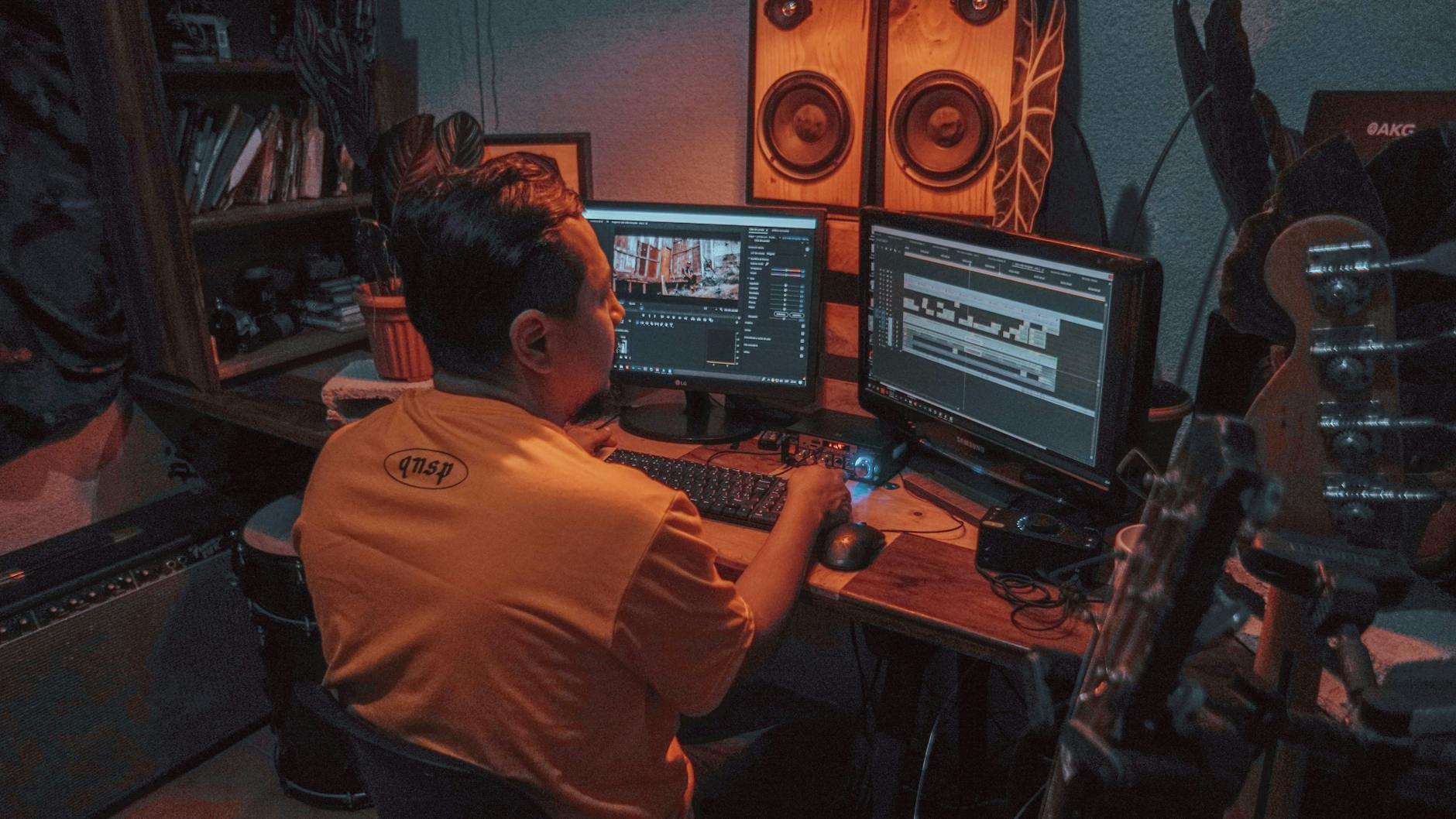
A video editor meticulously aligns audio waveforms with video clips for perfect synchronization.
What Are the Fundamental Principles of Beat Matching and Rhythm Editing?
Fundamental principles of beat matching and rhythm editing involve aligning visual cuts and actions with the musical tempo and accents. This includes identifying key beats, understanding musical phrasing, and adjusting video clips to match the music’s energy and emotional flow. Mastering these techniques ensures a harmonious blend between audio and visuals, creating a dynamic and engaging viewing experience.
Beat matching and rhythm editing are the technical backbone of effective music synchronization. They require a keen ear, a good sense of timing, and a deep understanding of both music theory basics and video editing software. Let’s break down the core concepts.
Understanding Musical Structure
Before you can beat match, you need to understand the basic structure of a song: verses, choruses, bridges, and intros/outros. Each section often has a distinct emotional arc and energy level. Furthermore, pay attention to the:
- BPM (Beats Per Minute): This dictates the overall tempo.
- Downbeats: The strongest beats in a measure, often ideal for major cuts or impactful visual changes.
- Upbeats & Off-beats: Lighter beats that can be used for subtle visual cues or quick transitions.
- Musical Phrasing: The natural ebb and flow of a melody or chord progression, which should guide the pacing of your scenes.
Techniques for Beat Matching
- Identify Key Beats. Use markers in your editing software to pinpoint downbeats, snare hits, or other prominent musical accents. Some software can even auto-detect beats, but always review them manually.
- Align Cuts to Beats. Start by making major cuts or scene changes on strong downbeats. For a more dynamic feel, you can also cut on upbeats or at the end of musical phrases.
- Match Action to Rhythm. If a character makes a decisive movement, time it with a beat. If a graphic appears, make it pop in on an accent. This visual rhythm makes the video feel much more intentional and professional.
- Vary Your Pacing. Don’t cut on every single beat. This can make a video feel frantic and exhausting. Instead, use the music’s rhythm as a guide, knowing when to hold a shot longer or accelerate the pace. The goal is flow, not just robotic precision.
- Pre-Visualize. Sometimes, it helps to close your eyes and listen to the music, imagining the visuals that would fit. This can spark creative ideas for your rhythm editing.
| Musical Element | Visual Application | Impact |
|---|---|---|
| Strong Downbeat | Hard Cut, Scene Change, Impactful Action | Creates emphasis, drives narrative forward |
| Upbeat/Off-beat | Quick Transition, Subtle Movement, Graphic Pop | Adds dynamism, lightens the mood |
| Melody/Phrase Start | New Shot, Introduction of Subject | Signals a new idea, creates continuity |
| Melody/Phrase End | Dissolve, Scene Transition, Reveal | Provides resolution, prepares for next sequence |
| Tempo Change | Pacing Adjustment, Slow-motion/Speed Ramp | Matches emotional shift, builds tension/release |
How Do You Choose the Right Music to Complement Your Video’s Story?
Choosing the right music involves understanding your video’s core message, target audience, and desired emotional tone. Select tracks that mirror the narrative arc, support visual themes, and evoke specific feelings without distracting from the content. Consider genre, tempo, instrumentation, and lyrical content to ensure the music enhances rather than competes with your visual story.
The selection of your soundtrack is arguably as important as the visual content itself. The wrong music can derail your message, while the right music can elevate it to new heights. Here’s how to make informed choices:
Define Your Video’s Purpose and Tone
Before browsing music libraries, clearly articulate what your video aims to achieve. Is it to inspire, educate, entertain, or sell? What is the prevailing mood: serious, playful, dramatic, uplifting? Answering these questions will narrow down your musical options significantly. For example, a corporate explainer video will likely benefit from a professional, unobtrusive track, while an extreme sports highlight reel demands high-energy, driving beats.
Consider Your Target Audience
Who are you trying to reach? Different demographics respond to different musical styles. A younger audience might connect with contemporary electronic or pop music, whereas an older demographic might prefer classical or jazz. Always choose music that resonates with your intended viewers, not just your personal taste.
⚠️ **Warning**: Always use legally licensed music. Using copyrighted tracks without permission can lead to legal issues, demonetization, or removal of your content. Explore royalty-free music libraries (e.g., Epidemic Sound, Artlist, Musicbed) for quality, legal options.
Match Music to Narrative Arc and Visual Themes
Your chosen music should mirror the progression of your story. Does the video start calmly and build to a climax? Your music should do the same. If your visuals feature natural landscapes, consider organic, acoustic instrumentation. For urban, modern scenes, electronic or hip-hop tracks might be more fitting. The goal is for the music and visuals to tell the same story, creating a unified experience.
Instrumentation, Tempo, and Genre
These are the core components of music selection:
- Instrumentation: Strings often evoke emotion, pianos can be reflective, synths add a modern feel, and drums provide energy.
- Tempo: Fast tempos create excitement; slow tempos build tension or evoke solemnity.
- Genre: Rock, pop, classical, electronic, folk, cinematic, each carries its own set of connotations.
Experiment with different combinations to find what truly enhances your video without overpowering it. This is where the expertise of a seasoned editor comes in handy; at Motion Edges, we continually see our portfolio grow with diverse projects that showcase expert music selection and synchronization.
A creative director and editor collaborate on music selection, ensuring the soundtrack complements the visual narrative.
What Tools and Techniques Can Help You Master Audio Synchronization?
Mastering audio synchronization involves utilizing various tools and techniques within professional editing software like Adobe Premiere Pro, DaVinci Resolve, or Final Cut Pro. Key methods include manual waveform alignment, automated sync features, beat markers, tempo mapping, and careful adjustment of clip durations. Employing these strategies ensures precise alignment of music with visual cues and transitions.
Modern video editing software provides an array of powerful features to help you perfectly sync music to video. While a good ear is invaluable, these tools make the process more efficient and precise.
Leveraging Editing Software Features
- Waveform Display: All professional editing software (e.g., Adobe Premiere Pro, DaVinci Resolve, Final Cut Pro) displays audio as waveforms. Visually identifying peaks and troughs, especially prominent drum hits or vocal accents, is crucial for manual synchronization. You can zoom in extensively for frame-accurate adjustments.
- Markers: Drop markers on your timeline to highlight key beats in your music. Then, align your video cuts or specific visual actions with these markers. This is a fundamental technique for rhythm editing.
- Automated Sync: Many programs offer automated syncing features, especially useful for syncing dialogue tracks with separate audio recordings (e.g., PluralEyes integration in Premiere Pro, or built-in sync features). While primarily for dialogue, some tools can assist with initial music alignment based on transient detection.
- Keyframing Audio Levels: Beyond syncing, use keyframes to adjust the music’s volume. Duck the music slightly when dialogue is present, or swell it during impactful visual moments. This sound design technique ensures the music supports, rather than competes with, other audio elements.
- Time Remapping/Speed Ramps: Sometimes, to perfectly match a beat, you might need to slightly speed up or slow down a video clip. Time remapping allows you to subtly adjust clip duration without making the change noticeable, helping to fit a visual action into a musical phrase.
Advanced Synchronization Techniques
- Tempo Mapping: For complex tracks with fluctuating tempos, some software or plugins allow you to create a tempo map. This map visually represents the changing BPM, giving you a precise guide for your edits.
- Sound Design with SFX: Don’t forget sound effects! Layering sound effects (SFX) that are also synced to the music can add incredible depth. A punch timed with a drum hit, or a whoosh effect with a musical swell, further enhances the immersive experience.
- Crossfades and Transitions: Use audio crossfades (e.g., constant power or exponential fade) to smoothly transition between different music tracks or sections, ensuring no jarring cuts in the audio. Similarly, visual transitions should align with musical shifts.
What Are Common Pitfalls to Avoid When Syncing Music to Video?
Common pitfalls when syncing music to video include neglecting legal music licensing, choosing mismatched tempos, over-editing to the beat, ignoring sound design principles, and failing to account for transitions. Avoiding these mistakes ensures your video maintains professional quality, emotional resonance, and avoids legal complications while providing a seamless and engaging viewer experience.
Even experienced editors can fall prey to common errors when it comes to audio synchronization. Being aware of these traps can help you sidestep them and produce truly professional results.
Ignoring Legal Music Licensing
This is perhaps the biggest and most critical pitfall. Using popular, copyrighted music without obtaining the necessary licenses is illegal and can lead to your video being taken down, demonetized, or even legal action. Always source your music from royalty-free libraries or secure proper licensing. It’s an investment that protects your content and your reputation. Our commitment to transparent practices extends to our clients, ensuring all aspects of production are above board, reflected in our transparent pricing and ethical workflows.
Mismatched Tempo and Mood
One of the most jarring experiences for a viewer is when the music’s tempo or emotional tone clashes with the visual content. A slow, melancholic track over an upbeat, fast-paced montage creates dissonance. Ensure your music selection genuinely complements the mood and rhythm of your footage. If the energy isn’t aligned, the sync efforts will be wasted.
Over-Editing to the Beat
While beat matching is important, cutting on *every* single beat can make your video feel overly frantic, predictable, and visually exhausting. It can also distract from the actual content. The goal is to use the music as a guide, not a strict dictator. Allow shots to breathe, vary your cut length, and use the rhythm creatively rather than literally.
Neglecting Sound Design and Audio Mix
Music synchronization is part of overall sound design. Often, editors focus solely on the music and forget about dialogue, sound effects, and ambient audio. These elements need to be balanced with the music. If the music is too loud, it will drown out dialogue. If sound effects are missing, the video can feel flat. A professional audio mix ensures all sound elements coexist harmoniously.
Poor Transitions and Audio Cuts
Choppy audio transitions can ruin an otherwise perfectly synced video. Abrupt cuts in music, sudden volume changes, or mismatched musical keys between segments are major red flags. Use smooth crossfades and ensure that when you transition between music tracks, they are either in the same key or carefully edited to avoid an unpleasant sonic jolt.
✅ **Tip**: After you’ve completed your edit, watch your video on different devices and with various speakers/headphones. This helps you catch any subtle audio inconsistencies or sync issues that might not be apparent in your editing suite.
Frequently Asked Questions About Syncing Music to Video Edits
What is the easiest way to sync music to video edits?
The easiest way often involves using your editing software’s waveform display to manually align prominent audio beats with key visual actions or cuts. For dialogue, most professional software offers automated sync features, which can quickly align separate audio and video tracks.
How do I make my video cuts match the beat?
To make your video cuts match the beat, first, place markers on the prominent beats of your music track within your editing timeline. Then, align your video clips’ in and out points, or specific visual actions, precisely with these musical markers. Zooming in on the audio waveform helps achieve frame-accurate precision.
Should I edit video or audio first?
While there’s no single rule, a common and effective workflow is to roughly edit your video first, focusing on the story and visual flow. Then, select your music and perform the detailed audio synchronization and rhythm editing. This allows the music to enhance an already structured visual narrative.
What if my music track is too long or too short for my video?
If your music is too long, you can creatively cut sections of the track (e.g., removing a verse or bridge) or fade it out at an appropriate moment. If it’s too short, you can loop sections, extend ambient parts, or layer multiple tracks. Ensure any edits to the music sound natural and seamless.
Can AI help sync music to video?
Yes, AI-powered tools are emerging that can analyze video content and suggest or even automatically sync music based on detected mood, pace, and visual cues. While not perfect, they can be a great starting point, especially for creators looking for quick solutions or creative inspiration.
Mastering how to sync music to video edits is a skill that will profoundly impact the quality and effectiveness of your video content. It’s a delicate balance of technical precision and creative intuition, transforming raw footage into a captivating experience. By understanding musical structure, leveraging your editing software’s tools, and avoiding common pitfalls, you can create videos that not only look great but also resonate deeply with your audience.
At Motion Edges, we believe that every beat and every frame tells a part of your story. Our expertise in video editing ensures that your visuals and audio work in perfect harmony, delivering maximum impact. If you’re looking to elevate your next project with perfectly synced audio and stunning visuals, don’t hesitate to get in touch with our team. Let’s create something truly unforgettable together.
Ready to Elevate Your Video Content?
Motion Edges delivers professional video editing that drives engagement and growth. Our dedicated editors learn your style and deliver consistently polished content.
Related Services from Motion Edges
- Talking Head Video Editing in Houston — clean cuts, captions, and b-roll for YouTube creators
- Talking Head Video Editing in Los Angeles — 48-hour delivery, professional results
- View All Video Editing Services