
- What Are the Foundational Principles of Effective Video Transitions?
- Which Common Transitions Are Overused and Should Be Avoided?
- How Do You Select the Best Transitions for Professional Video Editing?
- What Advanced Transition Techniques Elevate Storytelling?
- How Can Motion Edges Help Perfect Your Video Transitions?
Discover the Best Transitions for Professional Video Editing
Crafting compelling video content requires more than just great footage; it demands a nuanced understanding of how each shot connects. The best transitions for professional video editing aren’t flashy effects, but rather subtle tools that guide your audience through a narrative, maintain flow, and enhance emotional impact. Poorly chosen transitions can disrupt pacing and even confuse viewers, undermining your entire message. At Motion Edges, we understand that every cut and every transition contributes to the overall success of your video project, ensuring a polished, professional outcome.
Video transitions are crucial for maintaining rhythm and clarity, allowing you to move between scenes or ideas smoothly. Whether you’re producing a corporate explainer, a cinematic short film, or engaging social media content, selecting the right transition types can elevate your visual storytelling. Our team of expert video editors focuses on creating a seamless viewing experience that keeps your audience engaged from start to finish. Let’s dive into the world of effective video transitions and how to master them.
💡 Insight: The most effective video transitions are often those you don’t consciously notice, as they serve the story rather than drawing attention to themselves. Their power lies in their ability to seamlessly guide the viewer’s eye and maintain narrative coherence.
What Are the Foundational Principles of Effective Video Transitions?
The foundational principles of effective video transitions revolve around clarity, pacing, and emotional resonance. A good transition should serve the narrative, guiding the viewer’s eye naturally without drawing undue attention to itself. It must match the tone of the scene, maintain consistent pacing, and enhance the overall emotional impact of your visual storytelling.
Understanding these principles is key to making informed decisions in your post-production workflow. A transition is more than just an effect; it’s a storytelling device. Here’s what we prioritize:
Story-Driven Intent
Every transition should have a purpose. Are you indicating a passage of time, a change in location, or a shift in emotional state? A simple cut might suffice for quick action, while a dissolve could suggest reflection or a dream sequence. The intent behind your choice dictates its effectiveness. Always ask: “Does this transition enhance the story?”
Pacing and Rhythm
Transitions play a vital role in setting the pace of your video. Fast cuts create urgency and excitement, perfect for action sequences or montages. Slower dissolves or fades can evoke a sense of calm, contemplation, or the passage of time. Maintaining a consistent rhythm is essential for a professional feel, though intelligent variations can also be used for dramatic effect. Our editors at Motion Edges meticulously adjust pacing to match your project’s objectives.
Seamless Visual Flow
The primary goal of any transition is to create a seamless visual flow. This means avoiding jarring cuts or overly complex effects that distract from the content. A smooth transition allows your audience to effortlessly follow the narrative, keeping them immersed in your message. Think of it as the invisible glue that holds your story together, making the viewing experience intuitive and enjoyable.
Which Common Transitions Are Overused and Should Be Avoided?
Many common transitions are overused and should generally be avoided in professional video editing because they can appear dated, amateurish, or distract from the narrative. Wipes, star wipes, page turns, and excessive spin or zoom transitions often fall into this category. These effects tend to draw attention to themselves rather than facilitating the story, breaking the audience’s immersion.
While every transition has its niche, some have been so widely and poorly applied that they’ve lost their professional sheen. Avoiding these can immediately elevate the perceived quality of your work.
The “Cheesy” Wipe Family
Remember the classic star wipe from old home videos? Or the clock wipe? While they might evoke nostalgia, these transitions are rarely appropriate for modern, professional productions. They tend to scream “amateur” and can instantly diminish the credibility of your content. Unless you’re intentionally aiming for a retro or comedic effect, steer clear of most wipe transitions.
⚠️ Common Mistake: Overusing default or pre-set transitions in editing software without considering their narrative impact. Always customize or opt for simpler, more elegant solutions.
Excessive Spin, Zoom, or Fancy 3D Effects
While dynamic camera movements and motion graphics have their place, excessive use of spin, zoom, or overly elaborate 3D cube/flip transitions can quickly make your video feel gimmicky. These effects often prioritize flash over substance, disorienting the viewer rather than guiding them. Modern professional editing favors subtlety and purpose-driven movement over gratuitous spectacle. For truly impactful motion, consider our our professional editing services where we integrate sophisticated, purposeful motion graphics.
Unmotivated Dissolves and Fades
Fades to black or white and cross dissolves are foundational, but they can be overused or misused. A dissolve usually implies a passage of time or a change in mood. If you’re using it between every single shot in an action sequence, you’re likely slowing down the pace and creating a muddy, unprofessional look. Similarly, fading to black between every idea can make your video feel disjointed and drag down the energy. Use these powerhouses wisely and with clear intent.
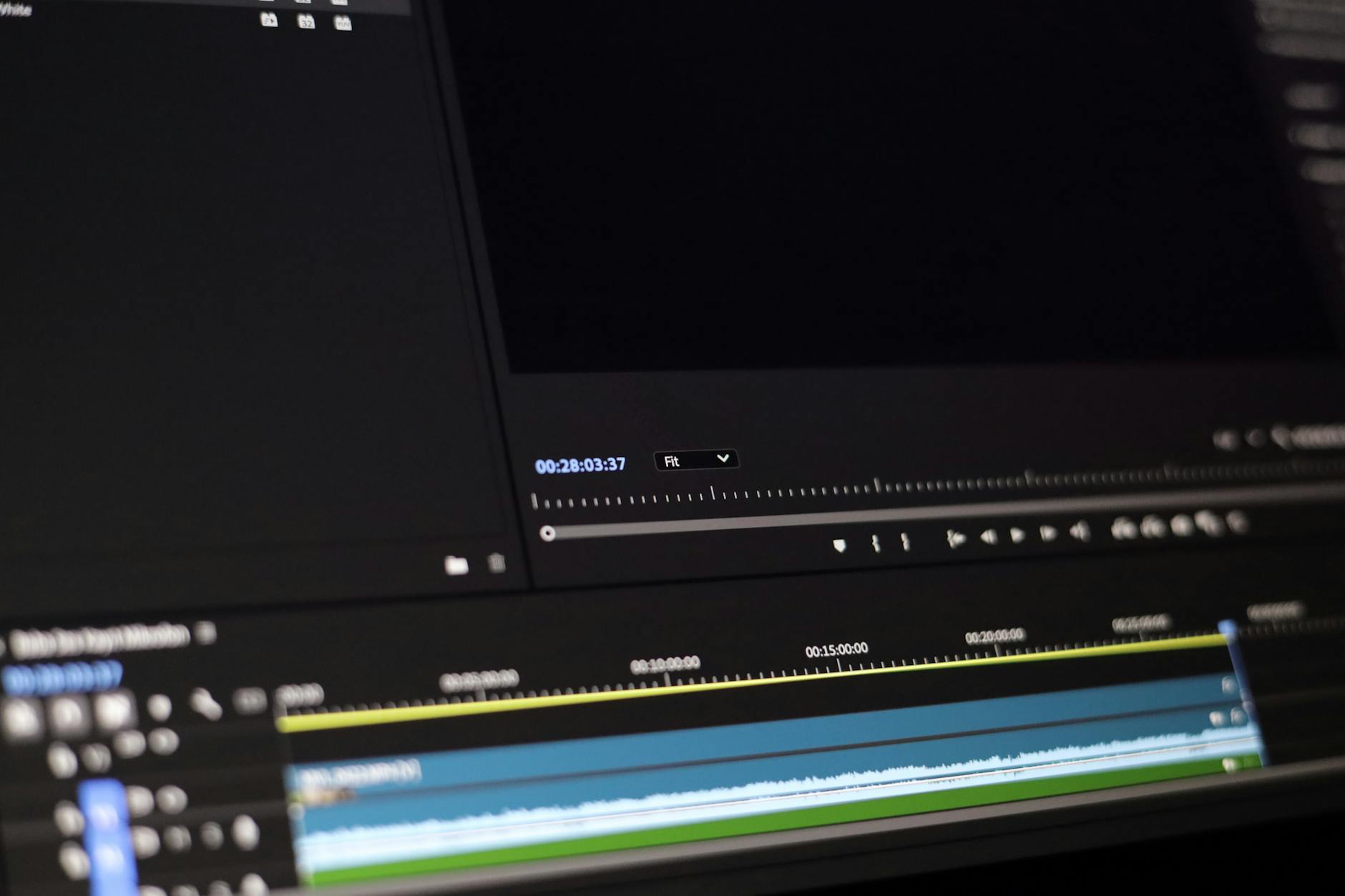
A video editor meticulously selects transitions to enhance visual flow and storytelling.
How Do You Select the Best Transitions for Professional Video Editing?
To select the best transitions for professional video editing, you must prioritize the narrative, emotional tone, and pacing of your video. Start with simple cuts for most sequences, then strategically employ dissolves for temporal shifts or mood changes, and use L-cuts or J-cuts for seamless audio-visual continuity. Always test transitions to ensure they enhance, not detract from, your story.
The secret lies in intentionality. Here’s a structured approach our team at Motion Edges uses to choose transitions that truly serve your project.
- Analyze Your Narrative. Before even thinking about effects, understand the story you’re telling. What is the emotional arc of the scene? What information are you conveying? This foundational understanding will dictate the appropriate transition.
- Consider the Pacing. Is the scene fast-paced and energetic, or slow and contemplative? Your transition choice must align with this rhythm. Quick cuts for dynamism, slower fades for reflection.
- Match the Mood. A horror film will use different transitions than a wedding video. The mood of your content should be reflected in the subtlety or intensity of your transitions. Jarring jump cuts might work for a thriller, but not for a serene landscape documentary.
- Prioritize Simplicity and Subtlety. For most professional projects, the simpler the transition, the better. Hard cuts are the most common and often the most effective. When you need something more, opt for a well-executed dissolve, dip to color, or subtle L-cut/J-cut over a flashy effect.
- Test and Refine. Always review your transitions in context. Does it feel right? Does it move the story forward smoothly? Sometimes, the “best” transition is simply removing one entirely. Get feedback and be prepared to iterate.
| Transition Type | Best Use Case | Why It Works | Common Pitfall |
|---|---|---|---|
| Hard Cut | Action, dialogue, quick scene changes | Maintains energy, direct, invisible | Jarring if subjects don’t match |
| Cross Dissolve | Passage of time, mood change, dream sequence | Smooth, ethereal, softens impact | Overuse, slows down fast scenes |
| Dip to Black/White | End of section, significant time jump, strong emotional close | Definitive, impactful, can be dramatic | Too frequent, feels abrupt if unmotivated |
| L-Cut / J-Cut | Dialogue, seamless conversation, parallel action | Audio anticipation, smooth dialogue flow | Requires precise audio/video alignment |
| Match Cut | Visual connection, thematic link, abstract journey | Clever, visually engaging, reinforces themes | Hard to execute, can be too obscure |
✅ Pro Tip: Leverage audio transitions alongside visual ones. Fading music, sound effects, or dialogue can smooth out cuts and create an even more seamless experience. An L-cut or J-cut, where audio from the next clip starts before the visual, is a prime example of this synergy.
What Advanced Transition Techniques Elevate Storytelling?
Advanced transition techniques that elevate storytelling go beyond basic cuts and dissolves, focusing on creative ways to merge scenes while enhancing narrative depth and visual impact. These include invisible cuts, graphic transitions, seamless camera moves, and whip pans, all designed to maintain audience immersion and add a layer of sophistication to the visual narrative without being overtly noticeable as an “effect.”
These techniques require careful planning and execution, but their payoff in terms of audience engagement and cinematic quality is immense. Our editors often employ these to create truly captivating content.
Invisible Cuts and Seamless Transitions
An invisible cut is a technique where a cut is disguised to appear as one continuous shot. This can be achieved through camera movement, object obstruction, or matching action. For example, a character walking past a dark object, or a quick pan that ends on a new scene. When done well, the audience doesn’t perceive a cut, leading to a highly immersive experience. Seamless transitions are similar, using motion or visual elements within the scene to bridge two shots, like a whip pan that carries over motion from one scene to the next. You can often see examples of this in our see our portfolio of work.
Graphic Transitions and Motion Overlays
Custom graphic transitions, often involving animated shapes, lines, or text, can be incredibly effective for branding, segmenting content, or adding a modern, dynamic feel. These aren’t generic software presets but custom-designed animations that align with your brand’s aesthetic. Motion overlays, like subtle dust particles or light leaks, can also bridge scenes while adding texture and mood. They are particularly popular in promotional videos and social media content, adding a unique flair.
L-Cuts and J-Cuts for Audio-Visual Continuity
While technically a form of cut, the strategic use of L-cuts (audio from the outgoing clip continues into the incoming clip) and J-cuts (audio from the incoming clip starts before the visual) is an advanced technique for enhancing conversational flow and creating anticipation. They create a natural overlap that prevents jarring silences or abrupt changes, making dialogue feel more natural and scene transitions smoother. Mastering these is a hallmark of professional video editing.
Whip Pans and Zooms as Transitions
When executed with purpose, a quick whip pan or a dynamic zoom can serve as an energetic transition. A whip pan can smoothly carry over the energy from one scene to the next, often used to connect actions happening in different locations but at roughly the same time. Similarly, a fast zoom into a detail in one shot and out from a similar detail in the next can create a sense of movement and connection, providing a unique visual bridge.

Dynamic graphic overlays and seamless cuts are key for modern, engaging video content.
How Can Motion Edges Help Perfect Your Video Transitions?
Motion Edges can help perfect your video transitions by leveraging our team’s expertise in cinematic storytelling, advanced editing software, and a deep understanding of audience psychology. We meticulously select and craft transitions that enhance your narrative, ensure seamless flow, and align with your brand’s unique voice, ultimately delivering a polished, engaging, and professional final product.
We don’t just apply effects; we sculpt your story. Here’s how our professional video editing services stand out:
Expertise in Narrative Flow
Our experienced editors understand that the best transitions are invisible storytellers. We analyze your footage and narrative goals to select or create transitions that enhance your message without distracting from it. Whether it’s a subtle cut or a complex graphic animation, every choice is made with your story’s integrity in mind, ensuring a cohesive and compelling viewing experience.
Customized Solutions and Creative Transitions
Generic transitions can make your video look bland. At Motion Edges, we offer customized solutions, developing unique transitions and motion graphics tailored to your brand and content. This bespoke approach ensures your video stands out and maintains a distinct, professional aesthetic. Our creative team is constantly exploring new techniques to give your projects a fresh, modern edge.
Efficiency and Professional Quality
Leveraging professional-grade software and streamlined workflows, our team delivers high-quality results efficiently. We know that time is often of the essence, and our commitment to clear communication and transparent processes ensures your project is completed on schedule and to the highest standards. We invite you to explore our transparent pricing and discover the value we bring.
Collaborative Partnership
We believe in a collaborative approach. You’re not just handing over footage; you’re partnering with a team dedicated to bringing your vision to life. We provide expert guidance, listen to your feedback, and ensure the final product perfectly reflects your objectives. Ready to elevate your video content? Get in touch with our team today to discuss your project.
Mastering the best transitions for professional video editing is about intentionality, subtlety, and understanding how each cut serves your narrative. By focusing on story, pacing, and emotional impact, you can transform ordinary footage into an extraordinary visual experience. At Motion Edges, our commitment is to provide that transformative touch, ensuring your videos captivate and convert. Trust us to make every transition count.
What is the most professional video transition?
The most professional video transition is often the hard cut. It’s direct, maintains energy, and is essentially “invisible” when used correctly. For indicating a passage of time or a mood shift, a subtle cross dissolve or dip to black is highly professional. The key is that the transition serves the narrative without drawing attention to itself.
Should I use transitions in every video?
No, you shouldn’t use transitions in every video or between every shot. Overuse of transitions, especially flashy ones, can make your video look amateurish and distract from the content. Hard cuts are sufficient for most scene changes and often create the most dynamic and professional flow. Transitions should be used sparingly and with clear narrative intent.
How do I make my video transitions smooth?
To make your video transitions smooth, focus on matching action, continuity, and complementary audio. Use hard cuts for most edits, ensuring visual elements align. When using dissolves, keep them short and purposeful. Incorporate L-cuts or J-cuts to blend audio and video seamlessly. Practice and careful review are essential for perfecting smooth transitions.
Are creative transitions good for branding?
Yes, creative and custom graphic transitions can be excellent for branding, provided they are professionally designed and align with your brand’s aesthetic. Unique motion graphics can help differentiate your content, reinforce brand identity, and make your videos more memorable. Avoid generic presets and invest in custom solutions for the best branding impact.
What is a jump cut and when should I use it?
A jump cut is an abrupt transition between two shots of the same subject or scene, differing only slightly in time or camera angle, creating a jarring effect. While often avoided for continuity, jump cuts can be used intentionally for stylistic purposes, to show a rapid passage of time, to create a sense of urgency, or for comedic effect in vlogs or fast-paced content.
Ready to Elevate Your Video Content?
Motion Edges delivers professional video editing that drives engagement and growth. Our dedicated editors learn your style and deliver consistently polished content.
Related Services from Motion Edges
- Talking Head Video Editing in New York — clean cuts, captions, and b-roll for YouTube creators
- Talking Head Video Editing in Miami — 48-hour delivery, professional results
- View All Video Editing Services